Getting Started with NoryLogic
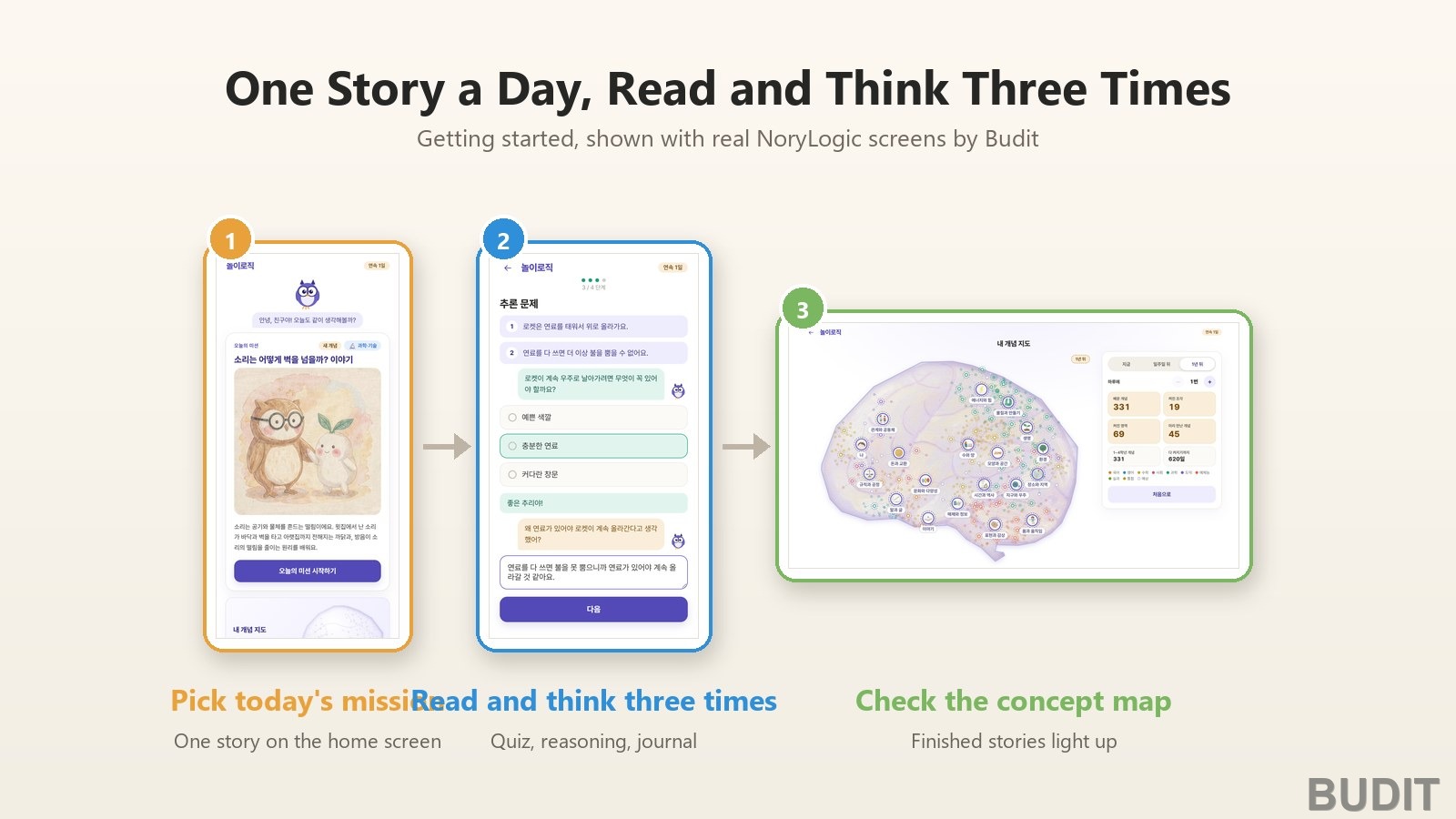
『NoryLogic』 is a service in which a child reads one story a day and thinks about it three times. It rewrites what is happening in the world today and primary school concepts at a child's level, then continues with a comprehension quiz, a reasoning question and a thought journal. The machine does not hand over the answer. The child gives the reasons. Here is the path from the first visit to finishing one session, with real screens. NoryLogic is currently in Korean.
At a glance
| What | Details |
|---|---|
| Address | norylogic.com, the same screen on phone, tablet and computer |
| One session | Four steps: reading, comprehension quiz, reasoning question, thought journal |
| Story subjects | Current affairs, general knowledge, money and economy, science and technology, nature and environment, history and culture |
| Story sources | Stories that start from the news, and concepts from Korea's 2022 primary school curriculum |
| Login | Stories can be read without logging in. To keep a record, log in with email, Kakao, Google or Naver |
Three choices on the first visit
On the first visit, NoryLogic asks what you most want from it (thinking skills, curriculum learning or both), which areas to focus on, and whether to get study reminders. Focus areas are grouped by where a child meets the world, such as 『money and exchange』, 『energy and force』 and 『living things』. Choose 『evenly』 for a mix of all areas. You can change these any time under 『Settings』 at the bottom of the home screen.
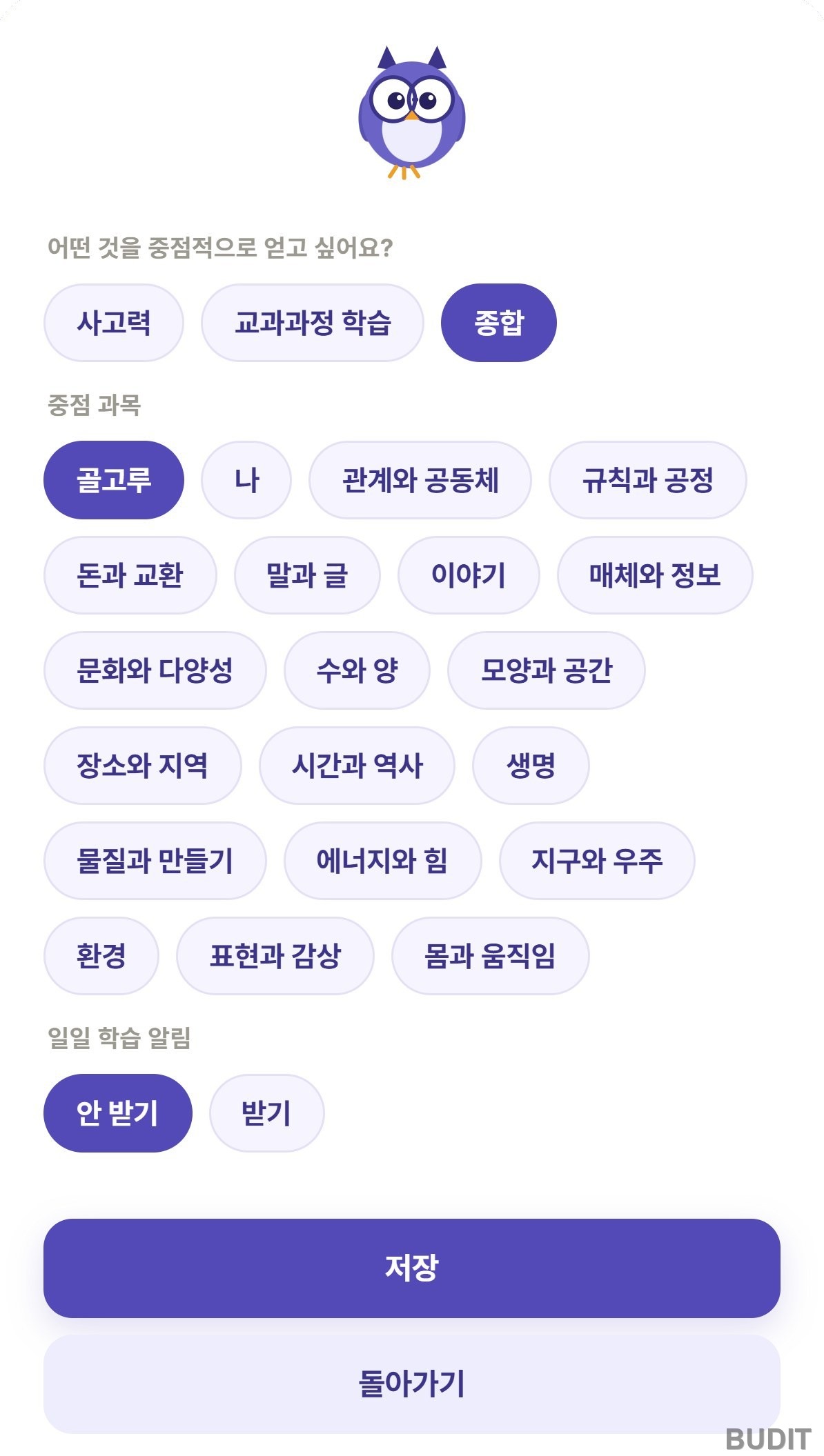
Photo: the 『NoryLogic』 settings screen (as of Nov 5, 2026). This screen comes first on the first visit. Open NoryLogic
One mission on the home screen
The home screen shows a single story to read today. Look at the title, the illustration and the one line summary, then tap 『Start today's mission』. Below it are links to the concept map, the thinking constellation, categories and the archive.
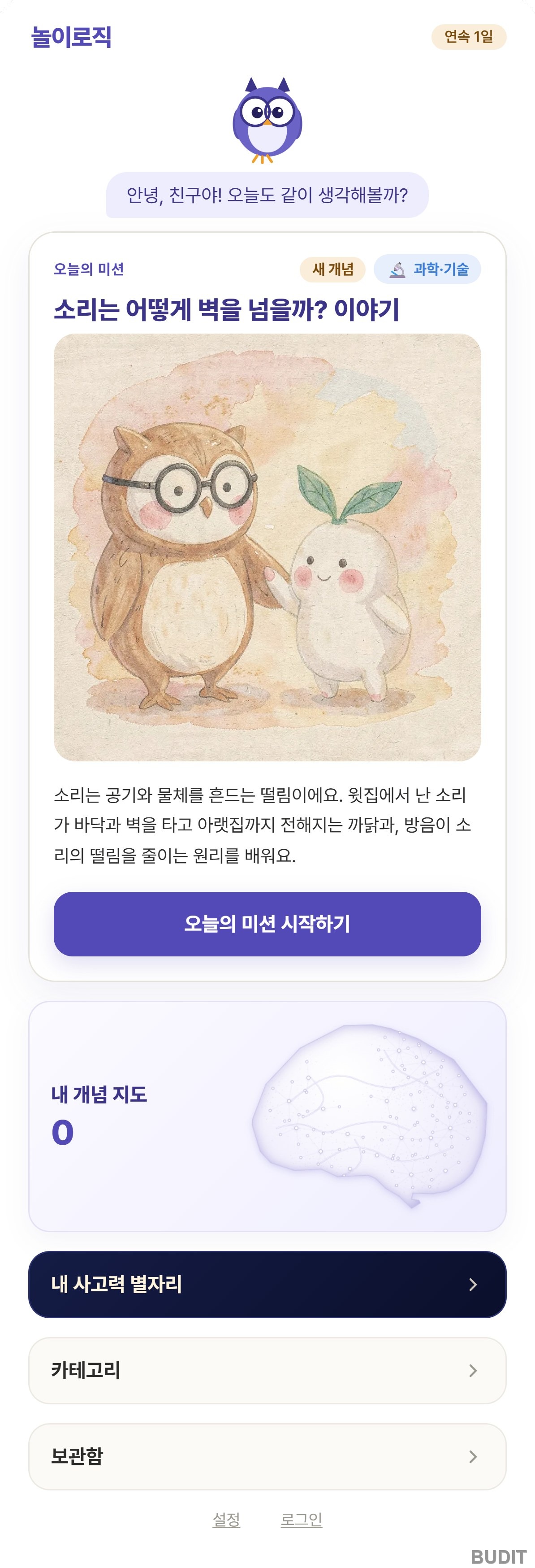
Photo: the 『NoryLogic』 home screen (as of Nov 5, 2026). Today's mission changes every day. Open NoryLogic
To pick a different story, browse the six subjects under 『Categories』. Tapping a subject shows a few stories, and logging in opens the full list.
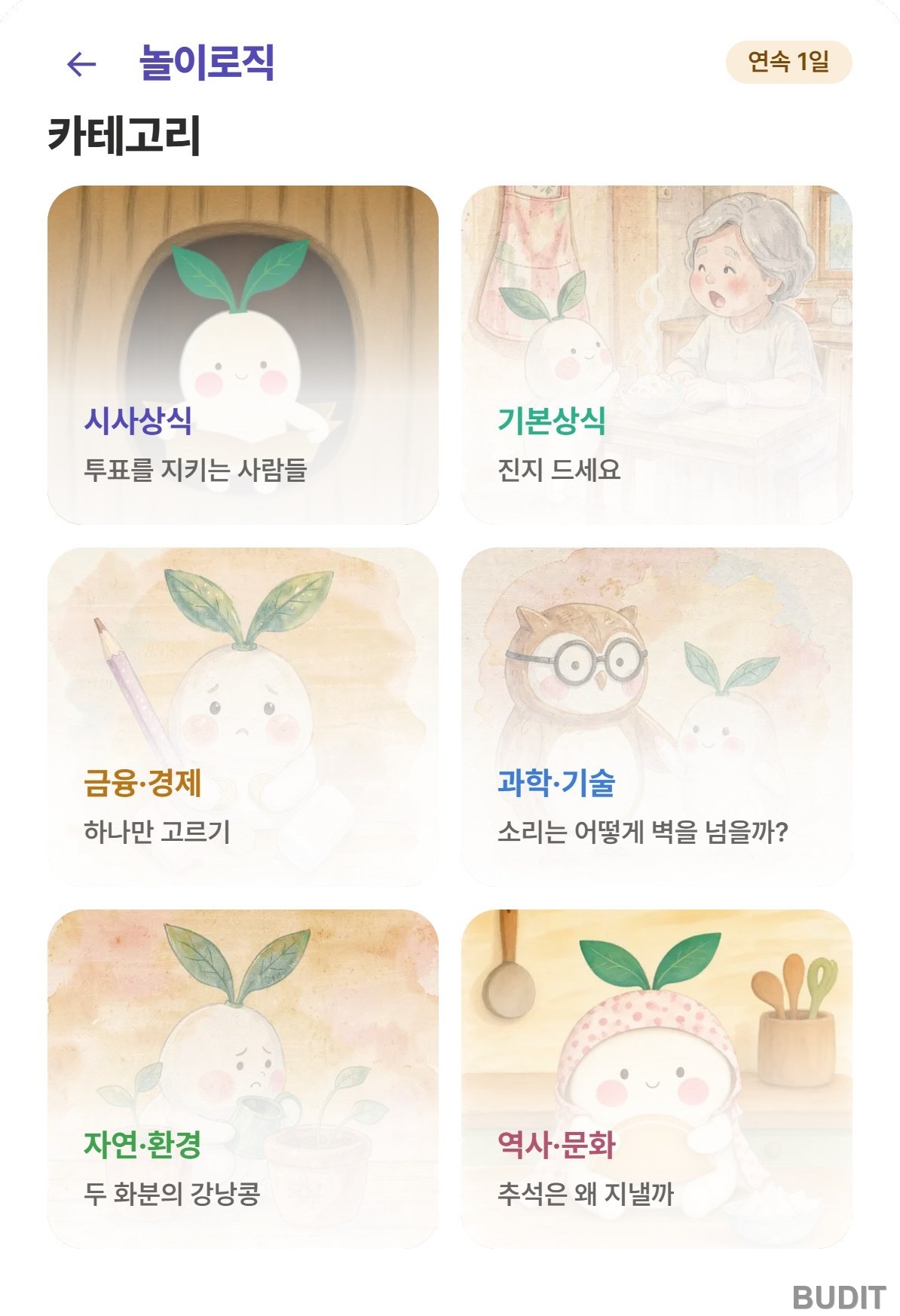
Photo: 『NoryLogic』 categories (as of Nov 5, 2026). See the categories
One session has four steps
As an example, here are the four screens of the story 『How do rockets get to space?』.
- 『Reading』: read the text, rewritten at a child's level. Tapping an underlined word shows its meaning, and a short dialogue between two characters follows. The story can also be listened to.
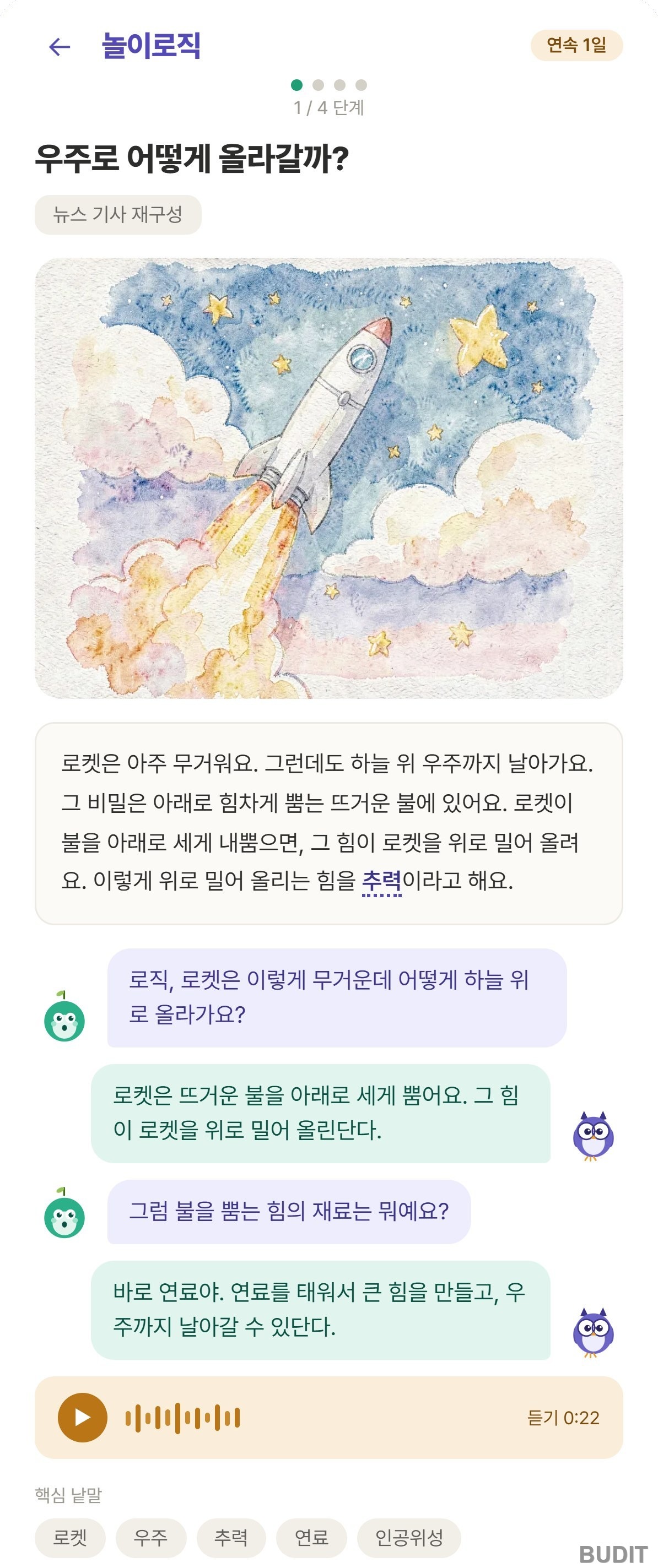
Photo: step 1, reading (as of Nov 5, 2026). Stories that start from the news are labeled as a retelling of a news article.
- 『Comprehension quiz』: answer one question that finds a fact in the text. An explanation appears as soon as an answer is chosen.
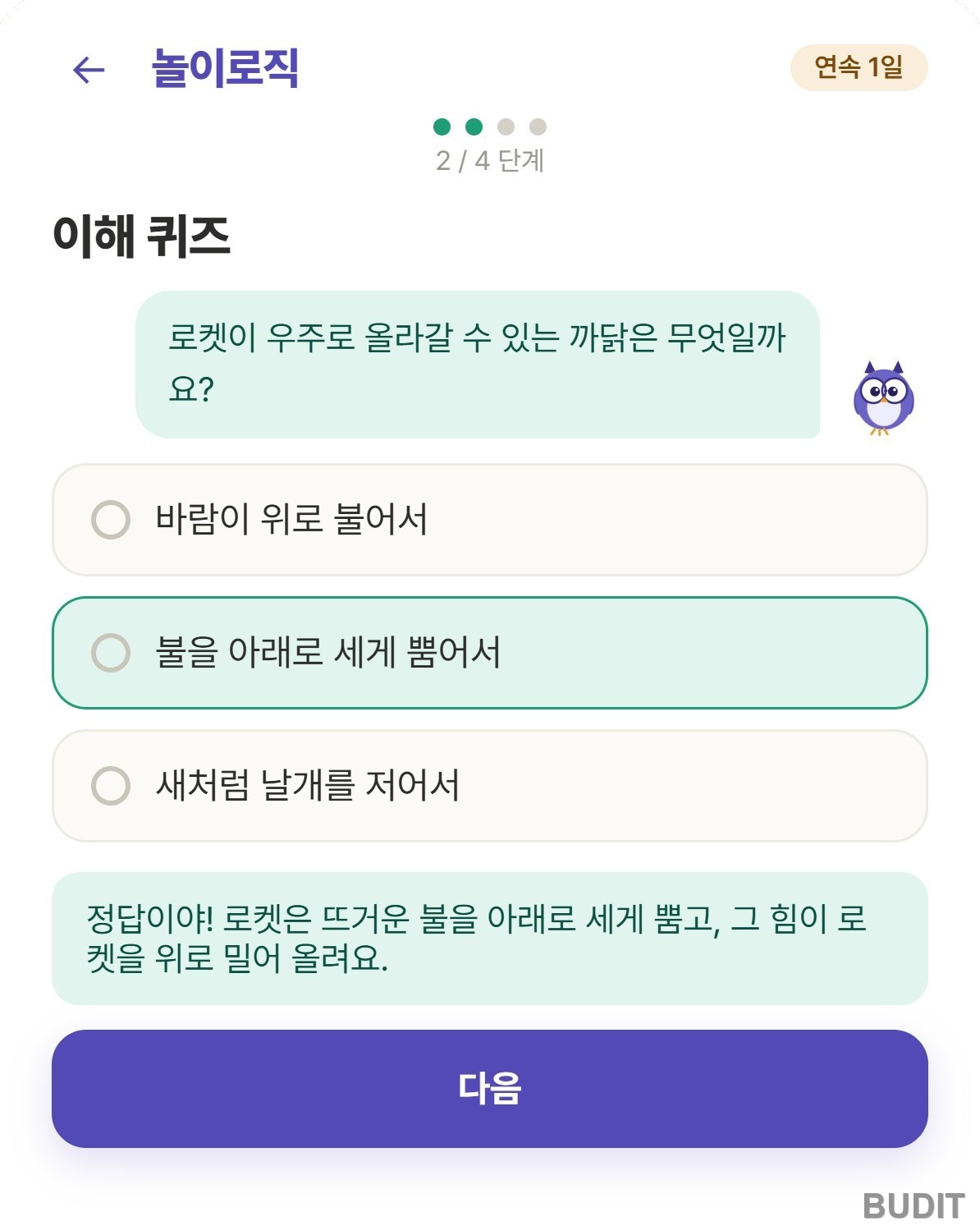
Photo: step 2, comprehension quiz (as of Nov 5, 2026).
- 『Reasoning question』: look at two clues, choose an answer, then answer a question that asks for the reason, like 『why do you think so?』. This is the most important step in NoryLogic.
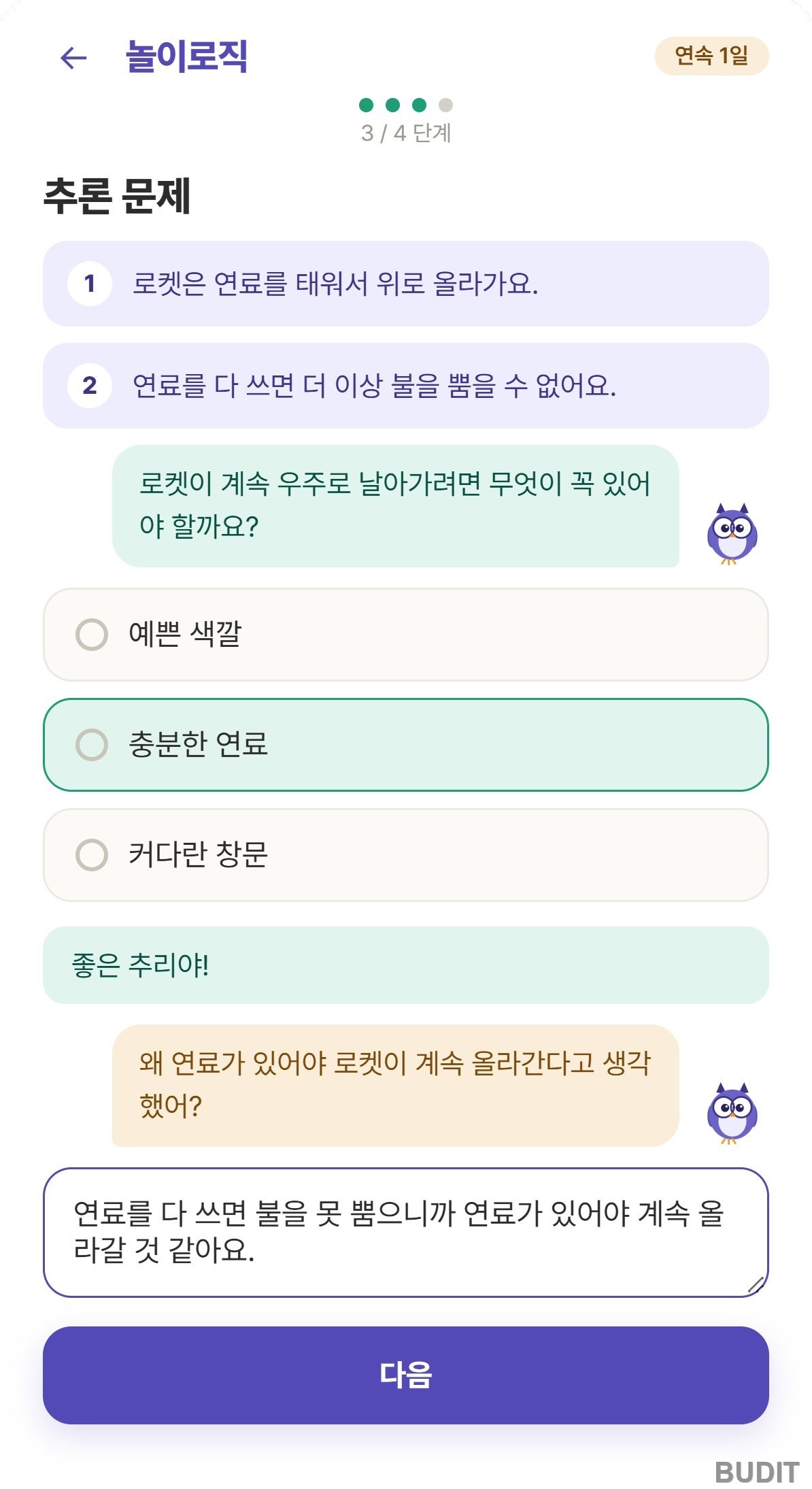
Photo: step 3, reasoning question (as of Nov 5, 2026, with a sample answer typed in).
- 『Thought journal』: write your own thoughts on a question linked to the story. After writing, one more follow up question appears. Tapping 『Finish today's learning』 saves the record, and this needs a login.
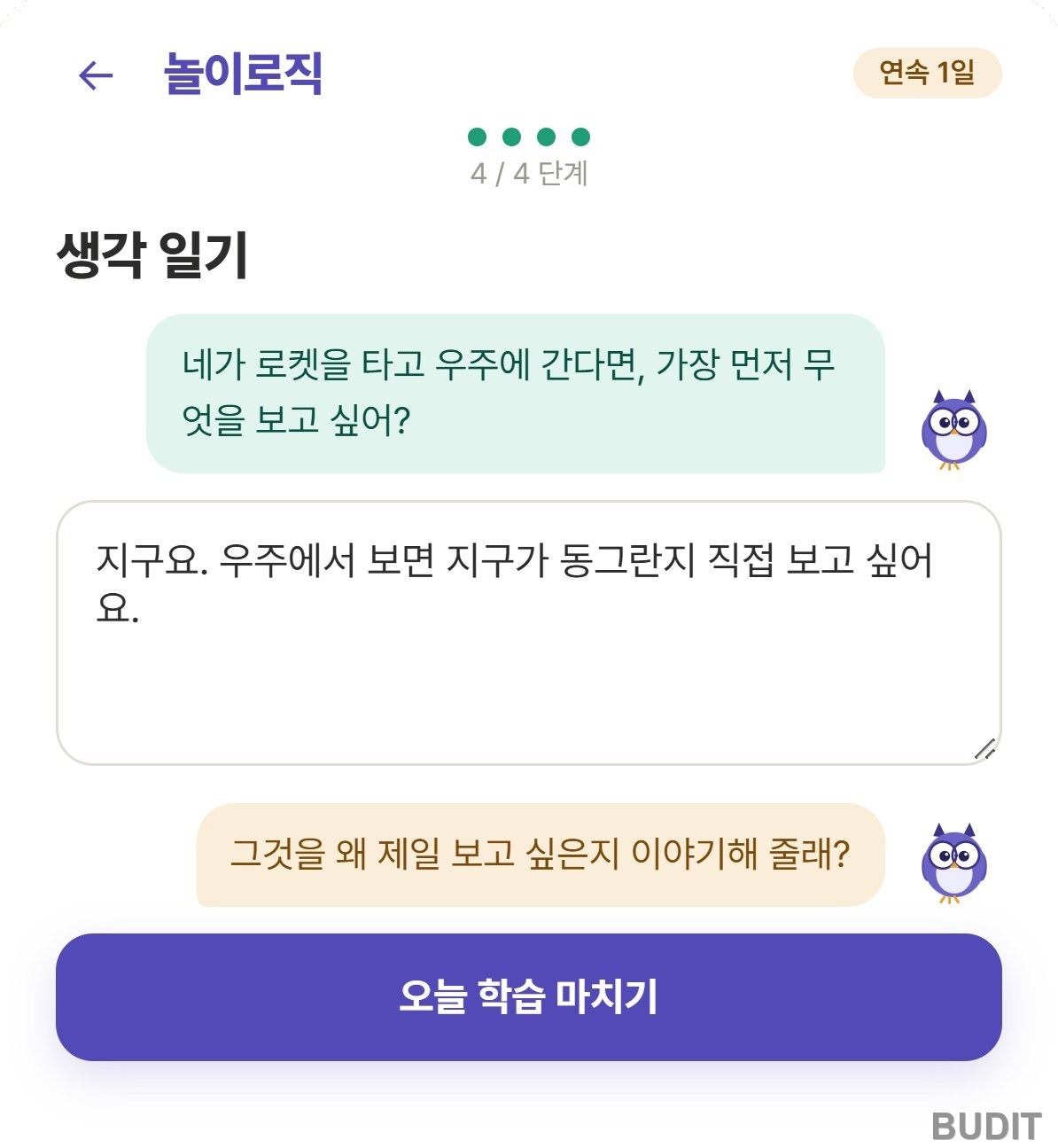
Photo: step 4, thought journal (as of Nov 5, 2026, with a sample answer typed in).
The record becomes a concept map
When a session ends, a record is kept, and the 『concept map』 lights up, on a map shaped like a brain, the primary school curriculum standards linked to the stories the child has finished. The screen shows child friendly names such as 『energy and force』 and 『money and exchange』 instead of curriculum codes.
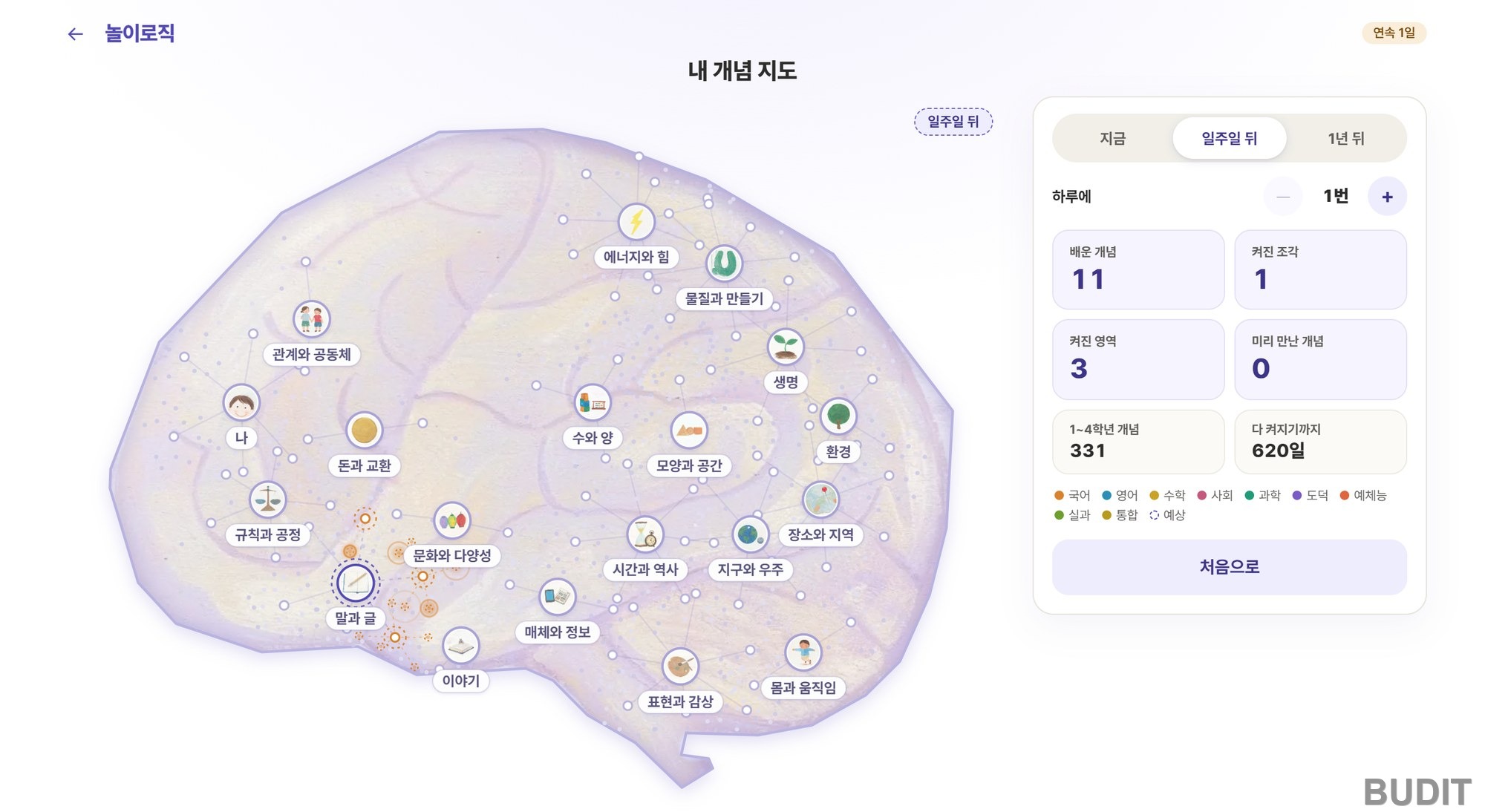
Photo: the 『NoryLogic』 concept map previewing 『one week ahead』 (as of Nov 5, 2026). See the concept map
Tap 『Now』, 『In a week』 or 『In a year』 and choose how many stories a day, and you can preview how far the map will light up if the child keeps going. At one story a day, all 331 concepts for grades one to four are shown as lit after a year.
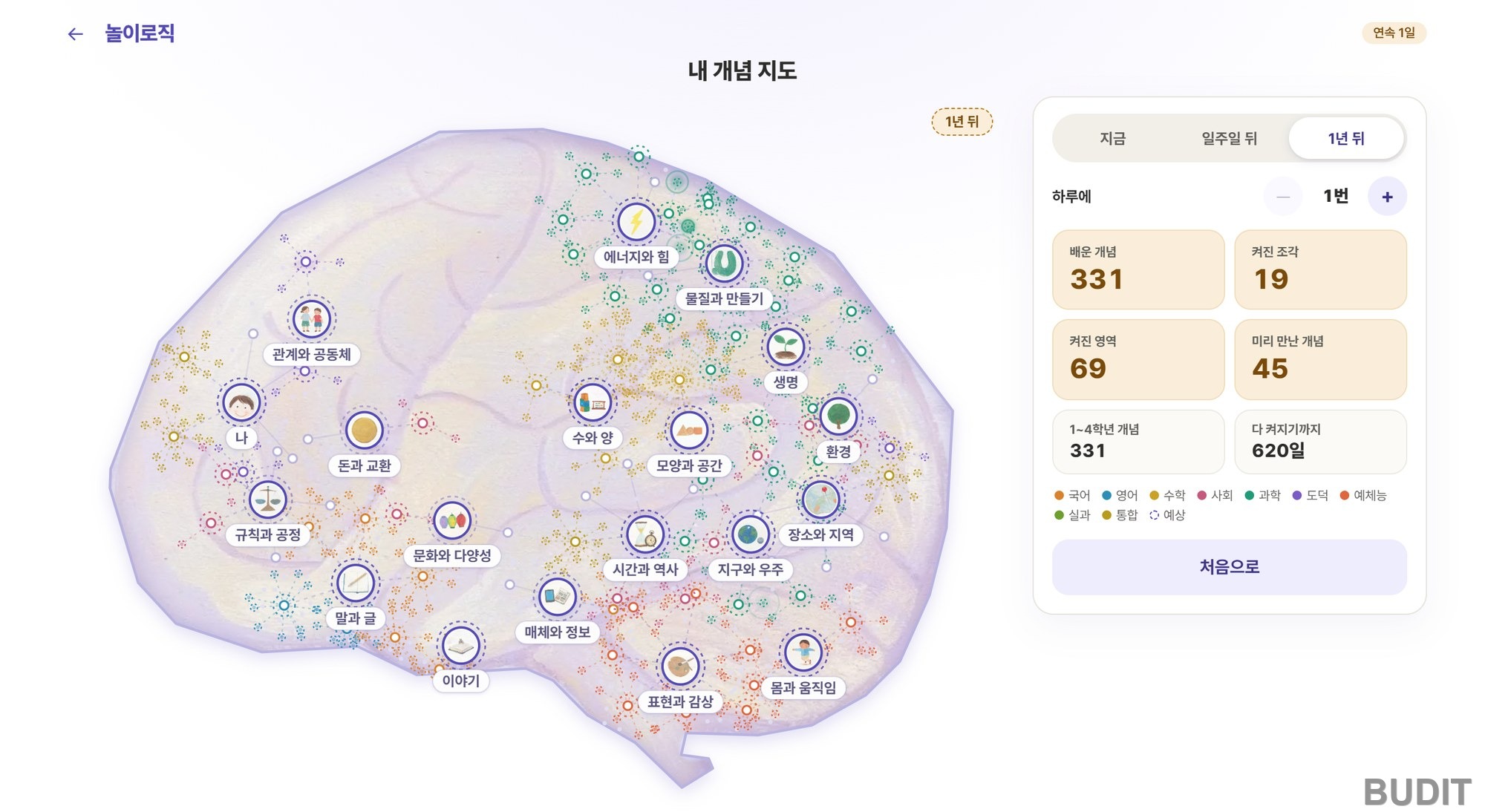
Photo: the 『NoryLogic』 concept map previewing 『one year ahead』 (as of Nov 5, 2026, projected at one story a day). See the concept map
Good to know
- Stories can be read without logging in. Log in to keep a record such as stars, journal entries and the concept map.
- AI writes the first draft of each NoryLogic story, but it does not go out as is. It is checked against source articles, and only stories a person has approved for copyright, safety, facts, style and structure are published.
- Stories that start from the news do not describe the incident itself. Only the concept behind the news becomes a story, and illustrations are drawn for the service instead of using news photos.
- The screens are currently in Korean.
How to use it at home
- One story a day is enough. The texts are short, so it fits after dinner or before bed.
- Sit beside the child for the reasoning step. After the child chooses an answer, ask 『why do you think so?』 out loud once more.
- Don't correct the thought journal. What matters is that the child wrote it in their own words, more than the spelling.
- Look at the concept map together once a week. Talk about which spots lit up recently and which story the child remembers.
Start NoryLogic · See the concept map
Related reading: Children Who Trust AI Answers As Is 『Automation Bias and the Habit of Thinking First』, Growing Scientific Curiosity 『How to Answer a Child's Why』, Why Deep Reading Matters in the Age of Short Form 『The Reading Brain Is Not Inborn』
References
- Chi, M. T. H. et al. (1994). Eliciting self explanations improves understanding. Cognitive Science. View the paper
- Recht, D. R. and Leslie, L. (1988). Effect of prior knowledge on good and poor readers' memory of text. Journal of Educational Psychology. View the paper
- Graham, S., Kiuhara, S. A. and MacKay, M. (2020). The effects of writing on learning in science, social studies, and mathematics: A meta analysis. Review of Educational Research. View the paper