


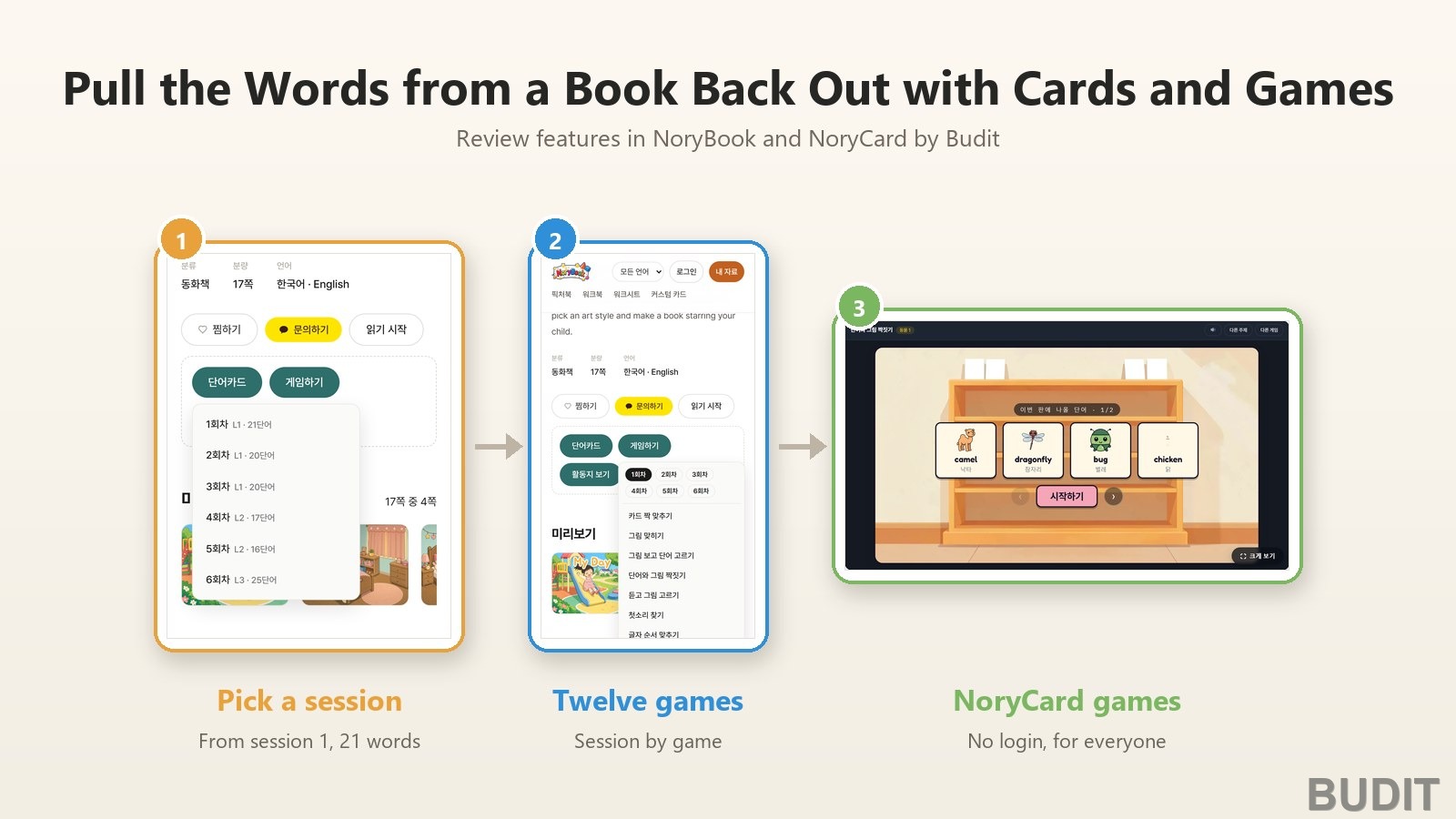
Reviewing with Word Cards and Games
Words scatter quickly once a picture book is closed. 『NoryBook』 lets the words from a book be pulled back out as card sessions and twelve games, and 『NoryCard』 games are open to anyone without a login. First, what opens for which account.
What opens where
| Feature | Where | Who |
|---|---|---|
| Reading the book, tapping objects in the pictures | The 『My Day』 reader | Anyone, no login |
| 『Word cards』 in six sessions, 『Play games』 with twelve games, 『Workbook』 | The book page and the final 『The End』 card | Accounts that registered a book with a coupon. Before that the buttons show a lock and tapping them opens a contact notice |
| Saved game records | The book page | Logged in accounts |
| NoryCard games | norycard.com/games | Anyone, no login |
Coupons are registered at norybook.com/wadiz after logging in. Once registered, the locked buttons on the same book page open in place.
Step 1. Pick a session
Press 『Word cards』 on the book page and the session list appears. 『My Day』 has six sets, from session 1 (L1, 21 words) to session 6 (L3, 25 words), and earlier sessions hold the easier words from shorter sentences. Start with session 1. Each card carries a photo, the English word, the Korean meaning and the pronunciation.
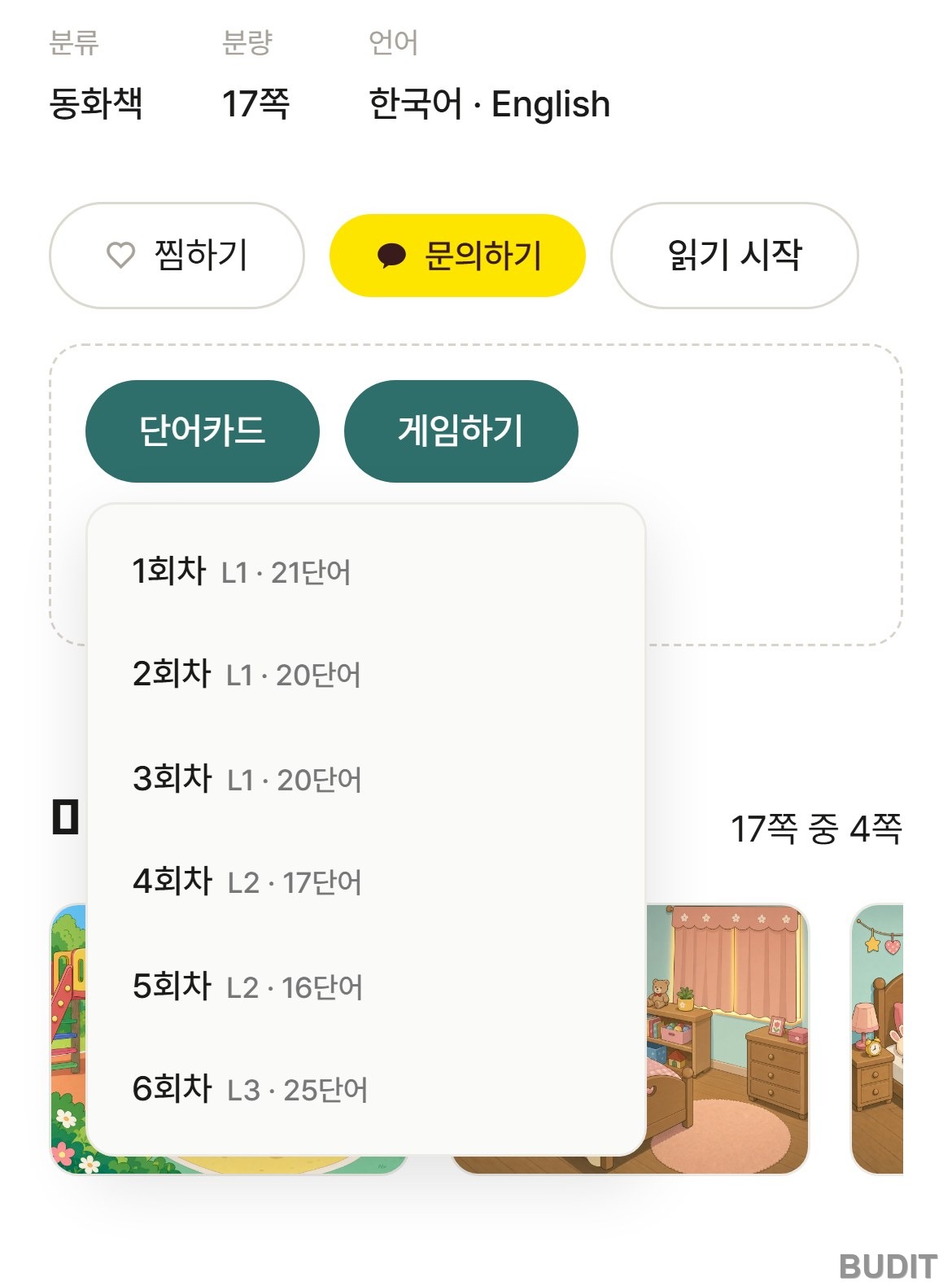
Photo: the 『Word cards』 session list on the 『My Day』 book page (captured Oct 15, 2026, from an account with the book registered, Korean interface shown). Each session shows its level and word count. Open the book page
Step 2. Pick a game
Press 『Play games』 and twelve games appear under the six session buttons: card matching, picture quiz, pick the word for the picture, word and picture matching, listen and pick the picture, find the first sound, letter order, word search, read the clue and find the word, balloon pop, listen and find fast, and word speed game. Pick a session first, then a game, and a round is built from that session's words. With a logged in account the child's game records are saved.
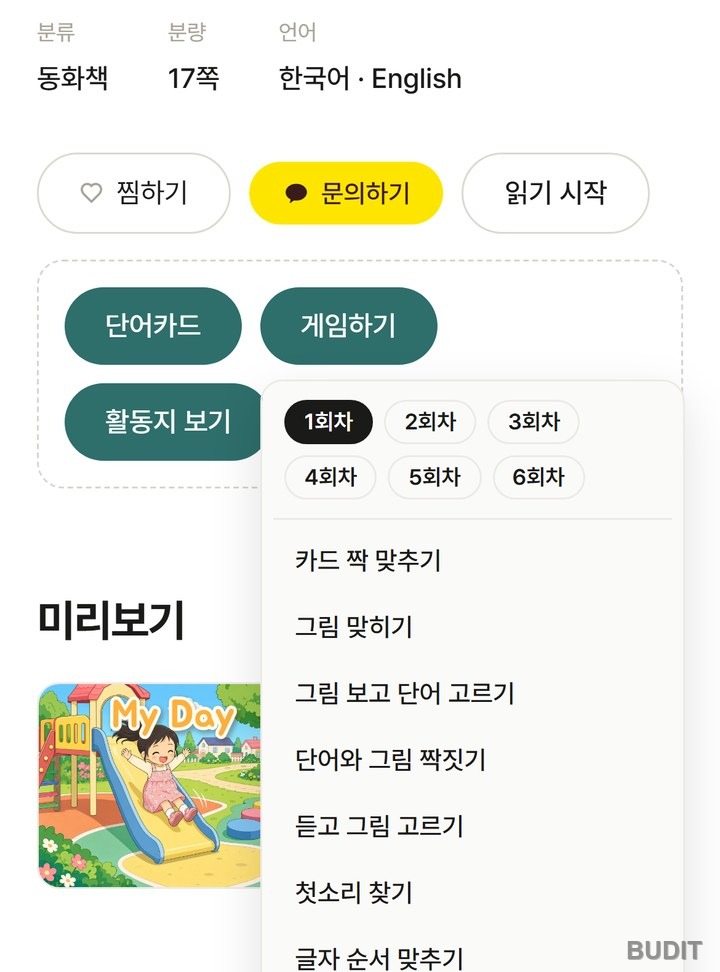
Photo: the 『Play games』 menu (captured Oct 15, 2026, from an account with the book registered, Korean interface shown). Session on top, game below.
A good order for the first three: word and picture matching to link picture and word, listen and pick the picture to find by sound alone, and letter order once the child knows letters.
Step 3. It continues from the last page
Turn the last page in the reader and a 『The End』 card appears with three buttons: 『Word cards』, 『Play games』 and 『Worksheets』. You can move straight to the words of the book just read without going back to the book page. On an account without a registered book, these buttons are locked too.
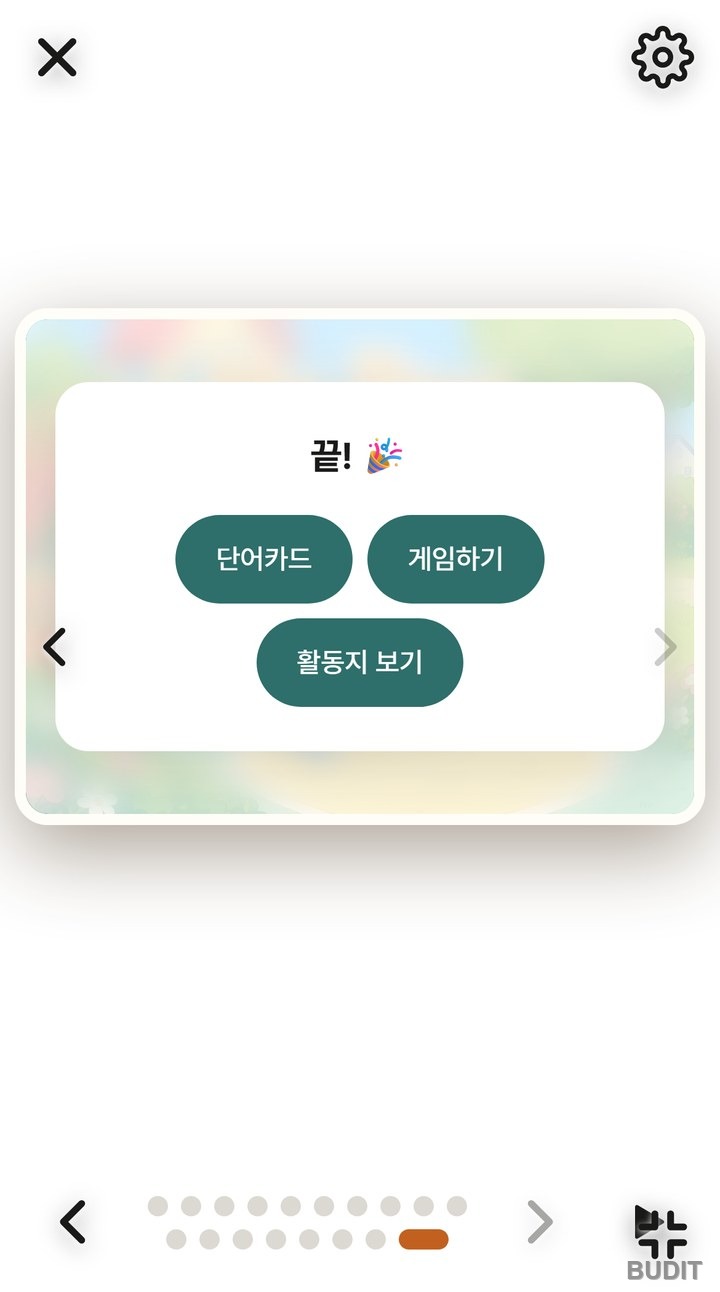
Photo: the 『The End』 card of 『My Day』 (captured Oct 15, 2026). Review starts right where reading ends.
NoryCard games for everyone
If no book is registered, or you want other words, use the NoryCard games. They open without a login, and choosing a topic builds a round from that topic's words. 『Word and picture matching』 shows the four words coming up with their pictures before a round starts, 『Find the first sound』 lets a child listen and choose without knowing letters, and 『Listen and write』 suits a child who has started writing letters.
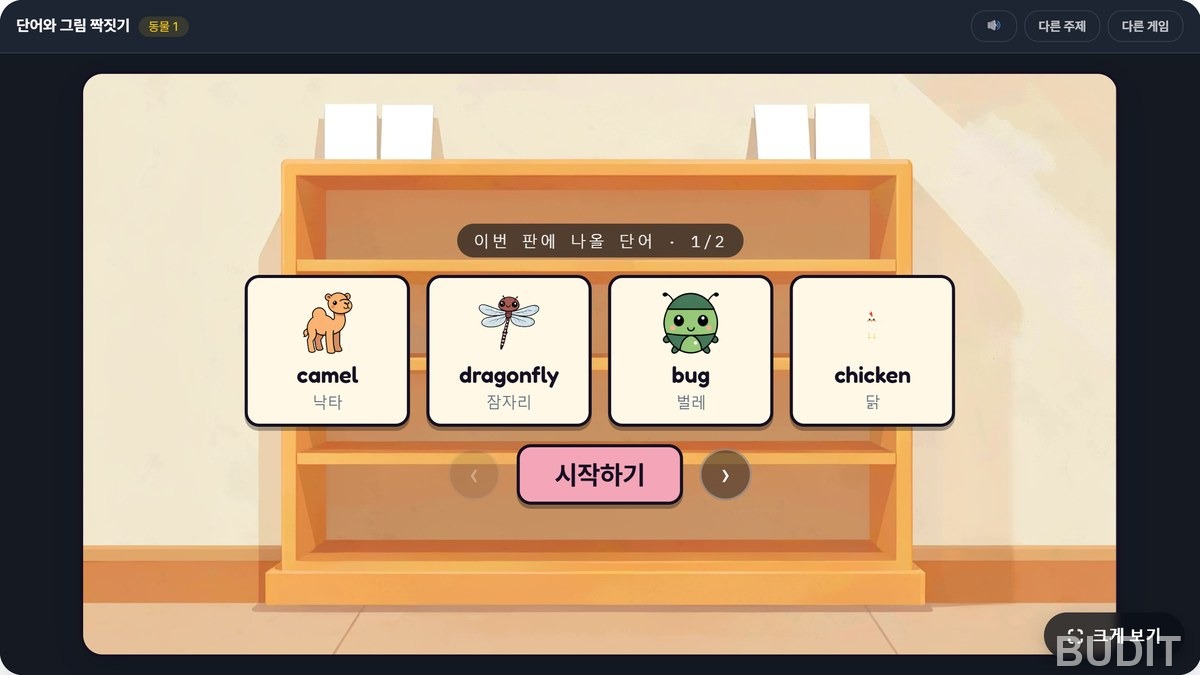
Photo: 『NoryCard』 『Word and Picture Matching』 (as of Oct 22, 2026, Korean interface shown). The words coming up are shown before the round. Open the games
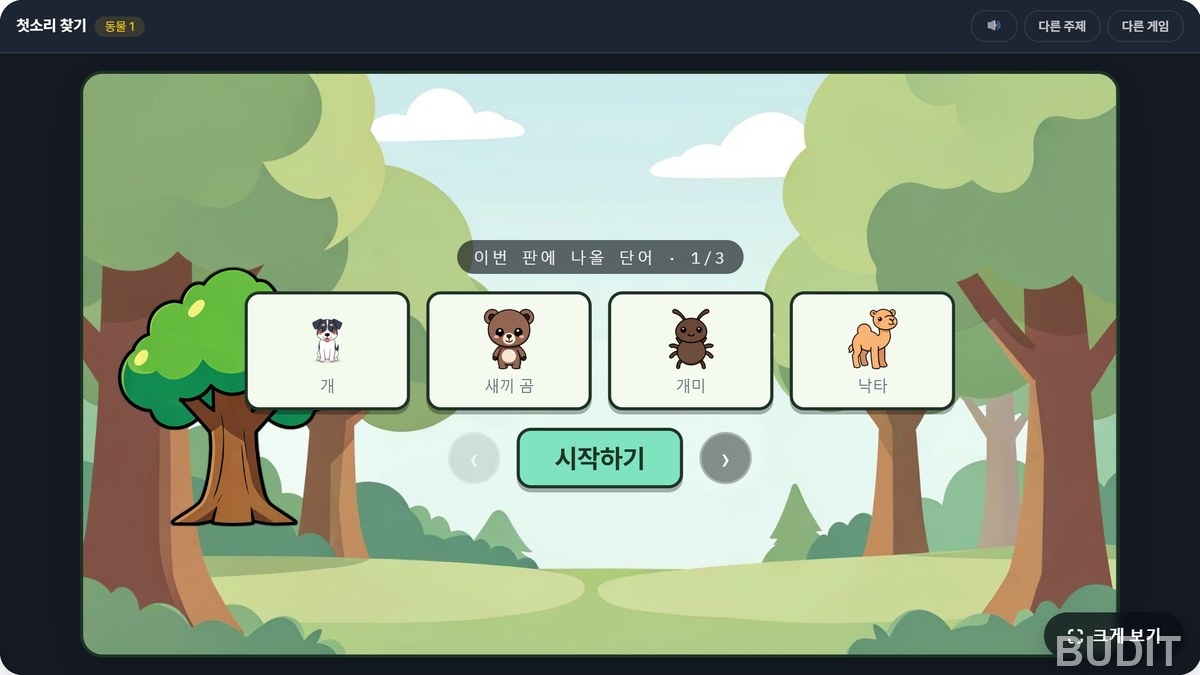
Photo: 『Find the First Sound』 (as of Oct 22, 2026). A listen and pick game, so no letters are needed.
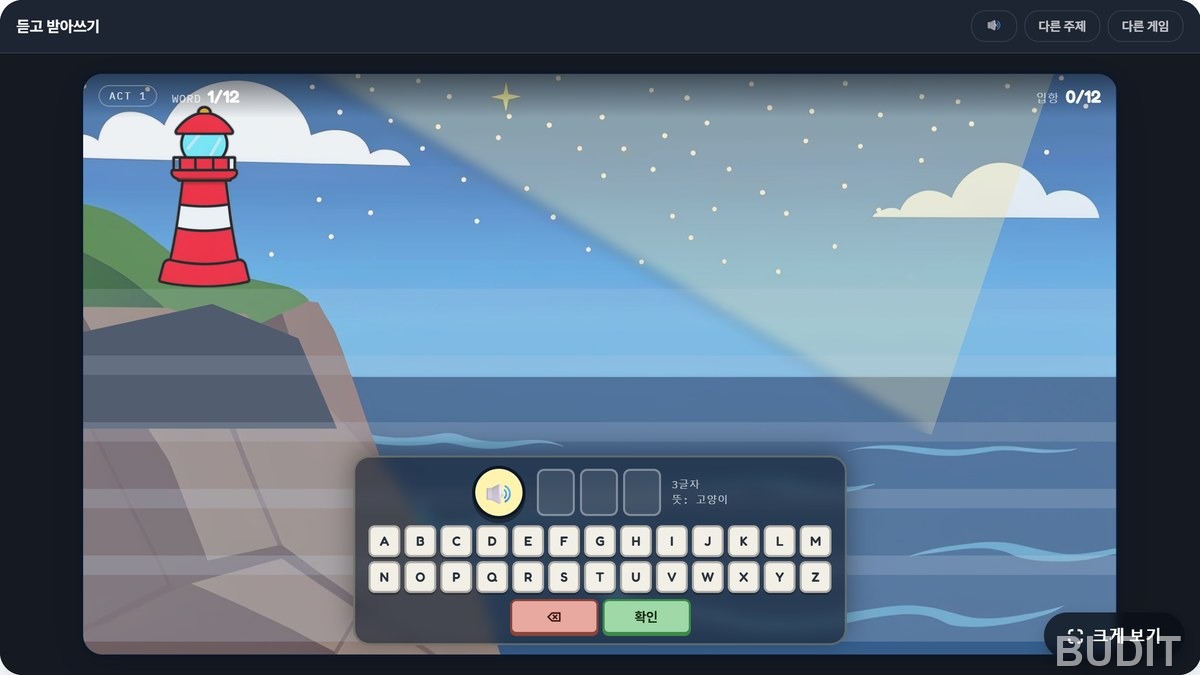
Photo: 『Listen and Write』 (as of Oct 22, 2026). Writing a word from its sound alone.
Good to know
- Reading is open to everyone, and the review features open for accounts that registered a book. Tapping a locked button opens a contact notice, and if you have a coupon the notice leads straight to registration.
- Sessions differ by book. 『My Day』 has six, and the L1, L2 and L3 labels mean the same as the English reading levels in the reader.
- A round takes about five minutes. Stopping while the child wants more makes the next day easier.
- Worksheets are viewed on screen with 『Worksheets』, and printable materials are downloaded from NoryBook without a login.
A review plan for home
Students who spent the same time recalling remembered far more a week later than students who reread (Karpicke and Roediger, 2008), and learning spread over time lasted longer than learning crammed at once (Cepeda et al., 2006). A game is recall, and a session is the unit for spacing.
- The day you read: open 『Word cards』 from the 『The End』 card and flip through the day's words once.
- The next day: one round of 『Word and picture matching』 on the same session.
- A few days later: one round of a sound only game such as 『Listen and pick the picture』.
- A week later: check on paper with 『Worksheets』, or mix in another topic with the NoryCard games.
The research on spaced review is in Why Reviewing Through Games Sticks, and how to tap objects for word cards is in Tap the Picture, Collect the Word Cards.
Open My Day · Open the NoryCard games
If a kindergarten or daycare would like to use it for a class, contact Budit.
References
- Karpicke, J. D. and Roediger, H. L. (2008). The critical importance of retrieval for learning. Science. View the paper
- Cepeda, N. J., Pashler, H., Vul, E., Wixted, J. T. and Rohrer, D. (2006). Distributed practice in verbal recall tasks: A review and quantitative synthesis. Psychological Bulletin. View the paper
Screens and features are as of Oct 22, 2026 and may change.