
Tap the Picture, Collect the Word Cards
Read a picture book to a child and they point at the things in the picture before the words. A 『NoryBook』 picture book takes that pointing finger as it is. Tap the bed and a bed card appears, tap the lamp and a lamp card appears, each with its pronunciation. After the last page, the words from the book carry on into cards and games.
What picture book reading does
In NoryBook picture books such as My Day, a reading voice reads each sentence and every object in the picture has a word card attached. One card holds a photo, the English word, the Korean meaning and the pronunciation. The book opens without a login and looks the same on a phone, a tablet or a computer. The seventeen pages of 『My Day』 hold some fifty object words a child meets in a day: bed, blanket, lamp, clock, toothbrush, slide, bathtub.
How to use it
- 『Open the book』: press 『Start reading』 on the book page and the start panel appears. Choose Korean or English under language, pick a reading voice, then press 『Start reading』. Korean has four voices (Sohee, Anna, Vivian and Uncle Fu) and English has five (Aiden, Ryan, Sohee, Serena and Amy). Choosing English also lets you pick a reading level: L1 short sentences, L2 medium, L3 long sentences.
- 『Turn the pages』: use the ◀ ▶ arrows beside the picture. When a page opens the reading voice reads the sentence, which is shown under the picture. The dots at the bottom show where you are in the book.
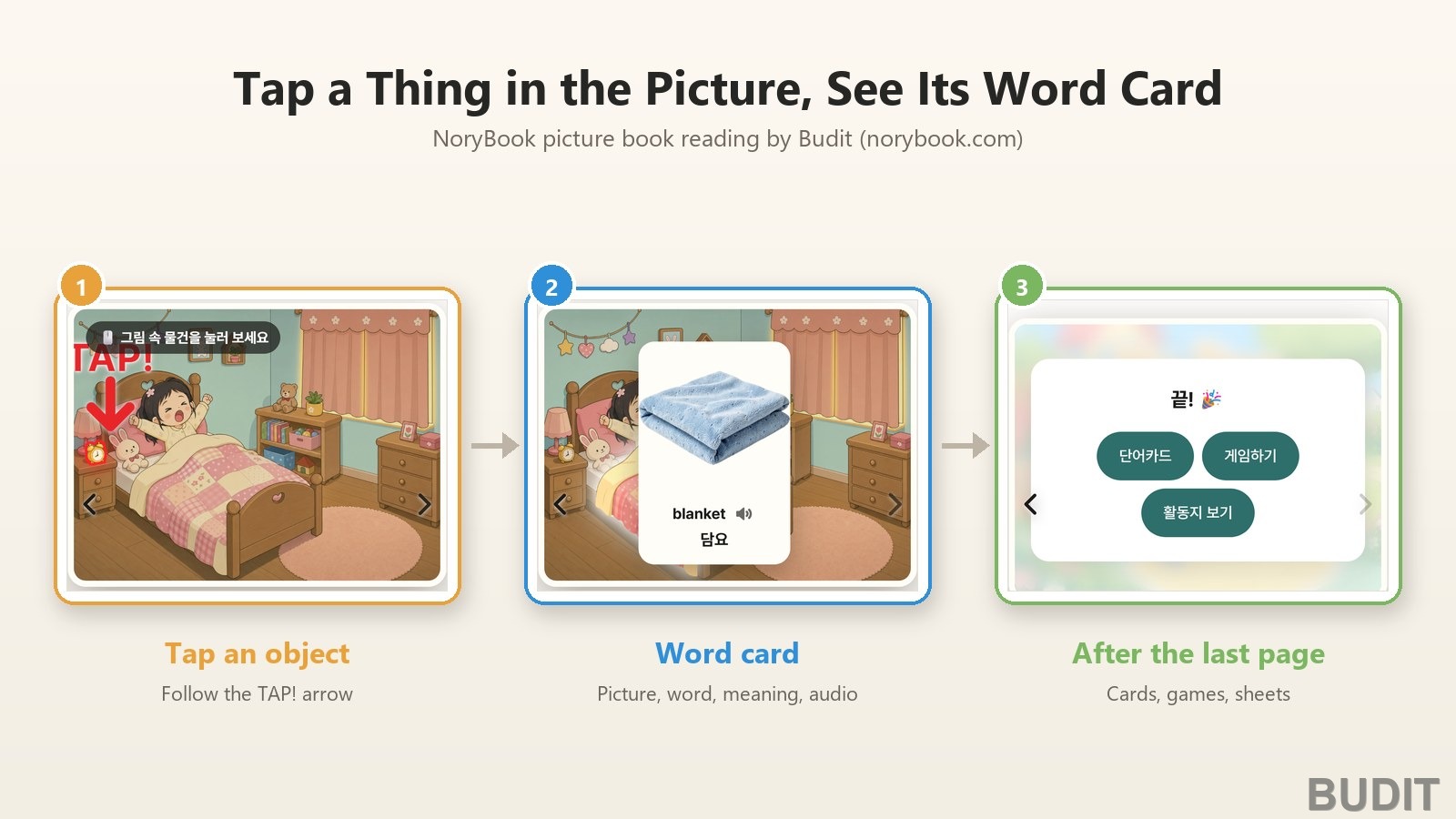
- 『Tap an object』: each page shows a hint, 『Tap the things in the picture』, and a moment later a red TAP! arrow points at one thing you can tap. Tap an object in the picture and it lights up and its word card appears. Press the speaker on the card to hear the word again, and tap the card to close it. Tapping another object while a card is open switches to that object's card.
- 『Settings』: the gear at the top right lets you change the reading voice and the volume. The button at the top left closes the book, and the one at the bottom right goes full screen.
- 『The End』: turn the last page and a 『The End』 card appears with three buttons: 『Word cards』, 『Play games』 and 『Worksheets』. 『Word cards』 gathers the book's words into card sets by session, from session 1 (L1, 21 words) to session 6 (L3, 25 words). 『Play games』 opens twelve games built on those words, such as card matching, listen and pick the picture, and find the first sound. 『Worksheets』 opens the sheets that come with the book. The same three buttons are on the book page as well.
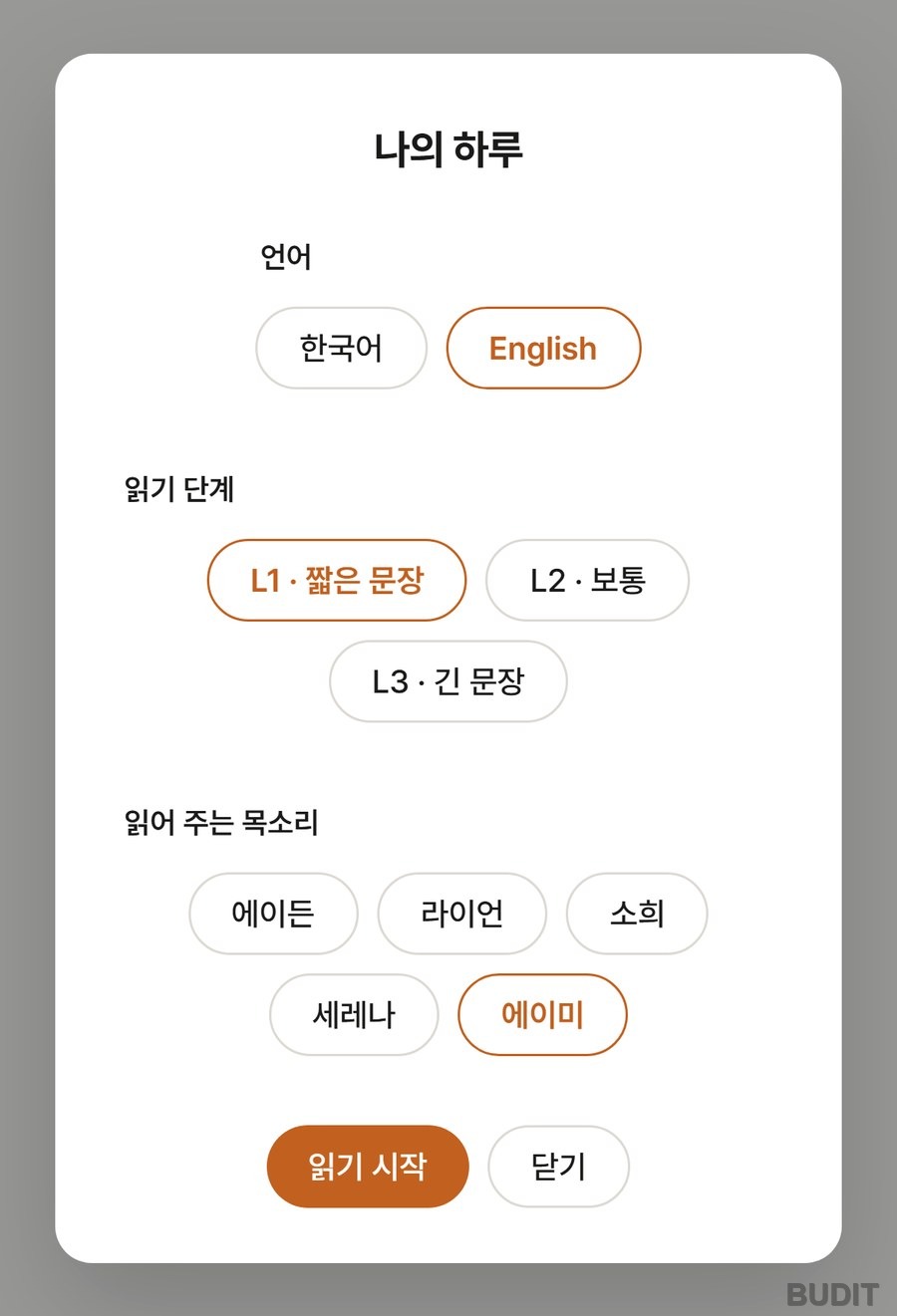
Photo: the 『My Day』 start panel with English chosen (as of Oct 15, 2026, Korean interface shown). Pick the language, the reading level and the voice, then press 『Start reading』. Open the book
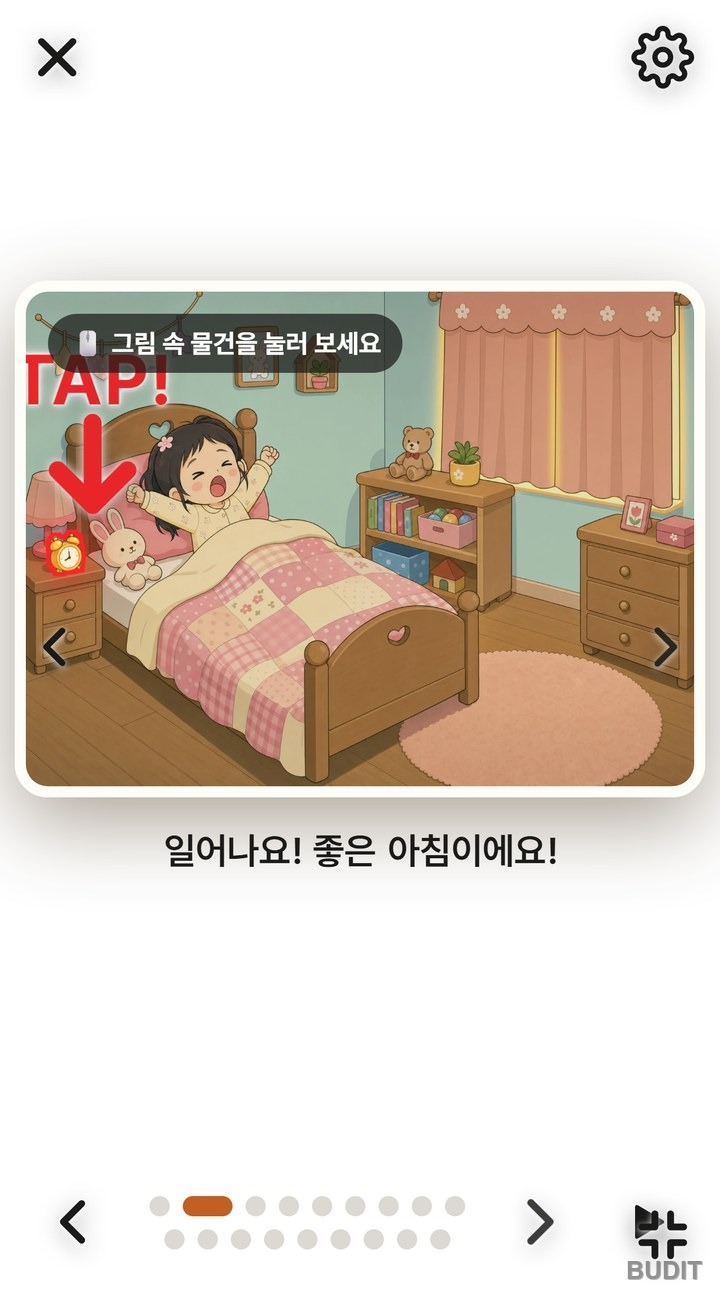
Photo: the first page. The 『Tap the things in the picture』 hint appears and a red TAP! arrow points at the clock. The sentence being read is shown under the picture.
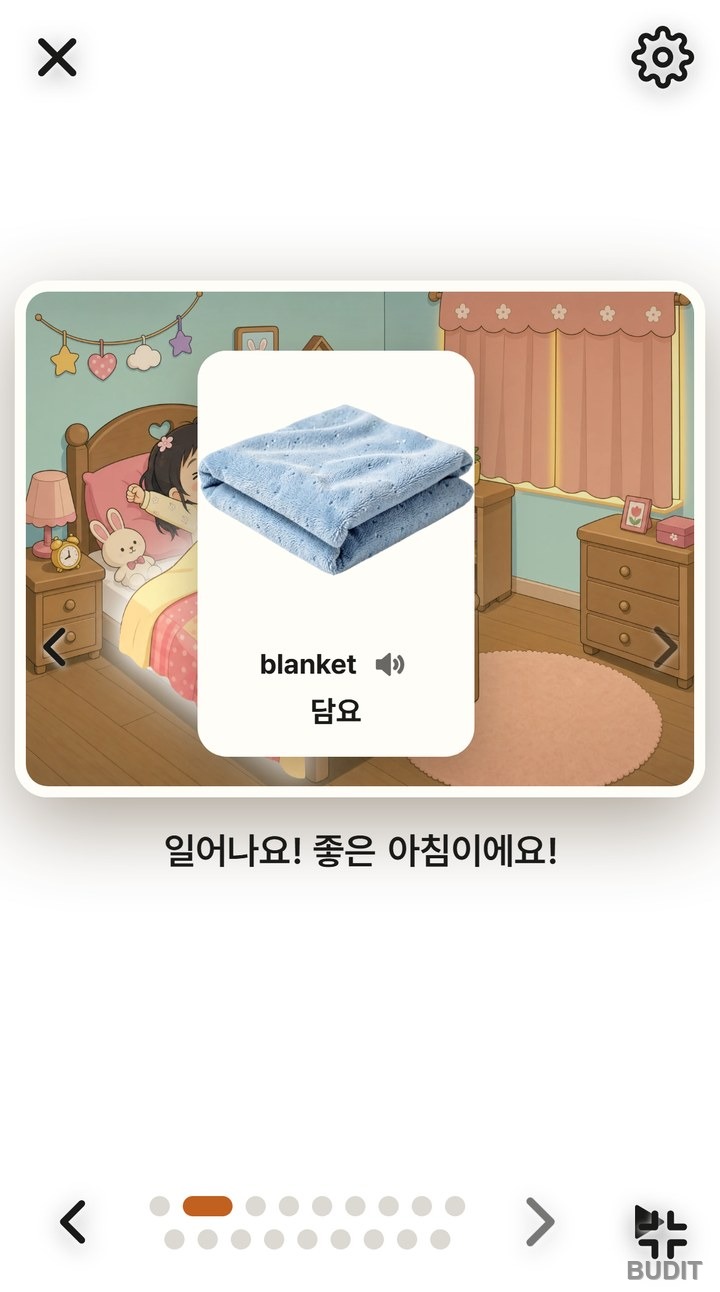
Photo: the card that appears after tapping the blanket. Photo, word, meaning and speaker button on one card, and the tapped blanket lights up in the picture.
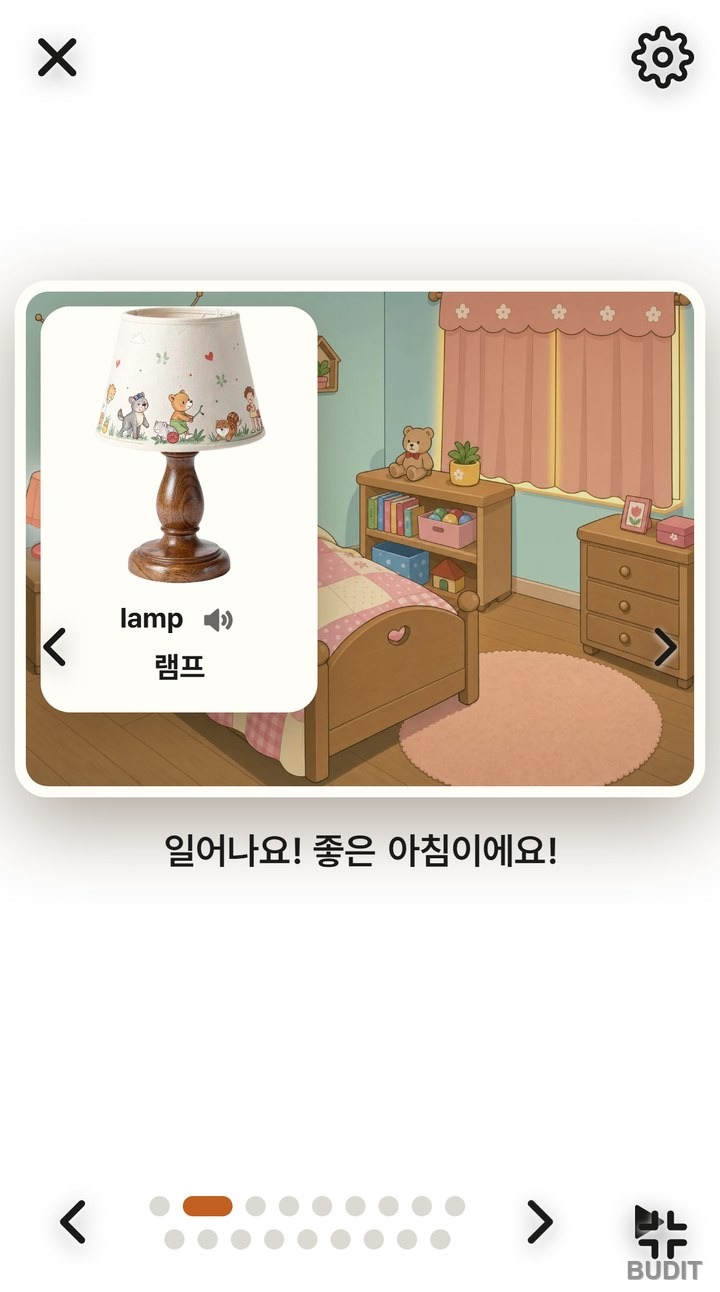
Photo: the lamp tapped on the same page. Tapping another object while a card is open switches to that object's card.
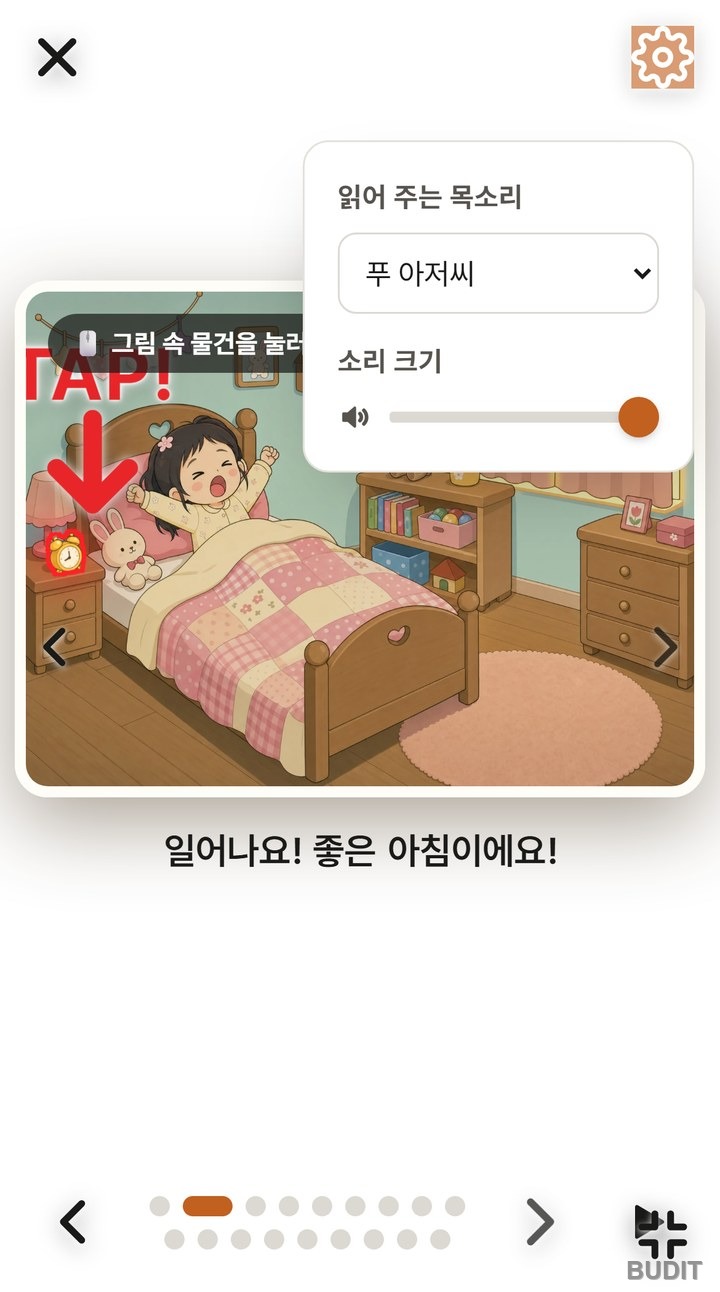
Photo: the settings panel behind the gear at the top right. Change the reading voice and the volume here.
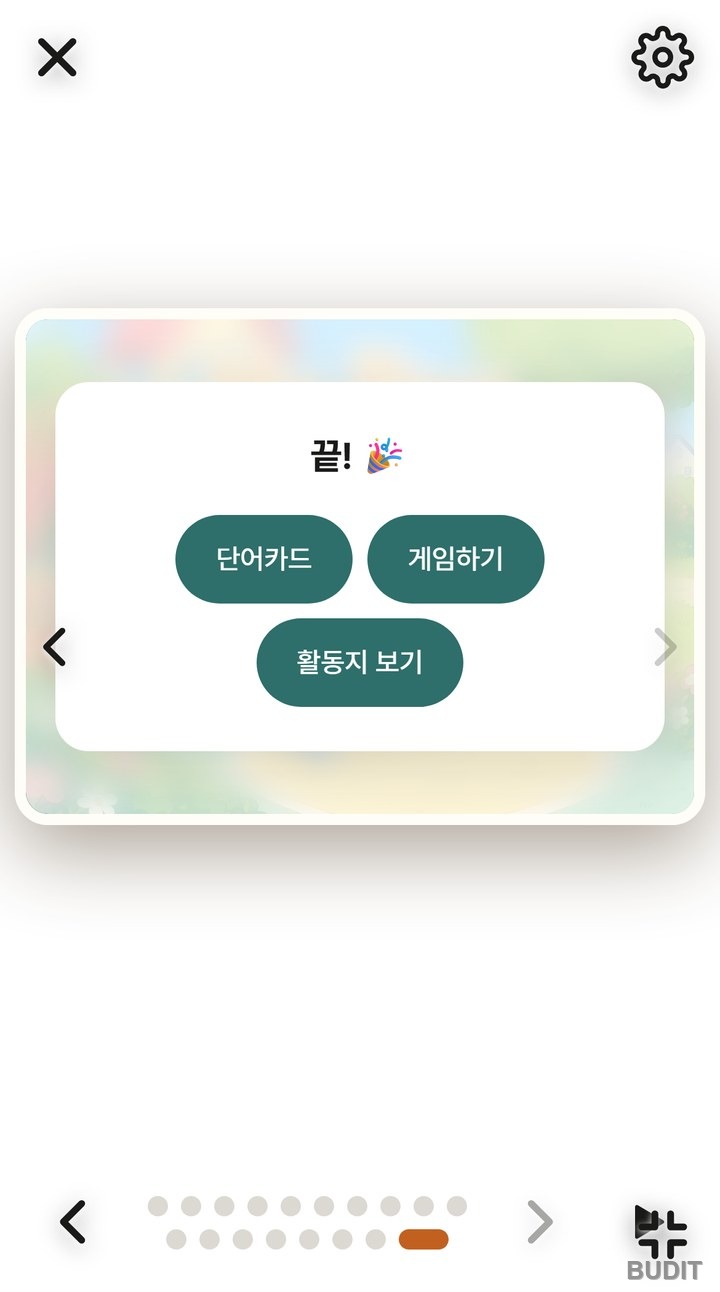
Photo: the 『The End』 card after the last page. It leads on to 『Word cards』, 『Play games』 and 『Worksheets』.
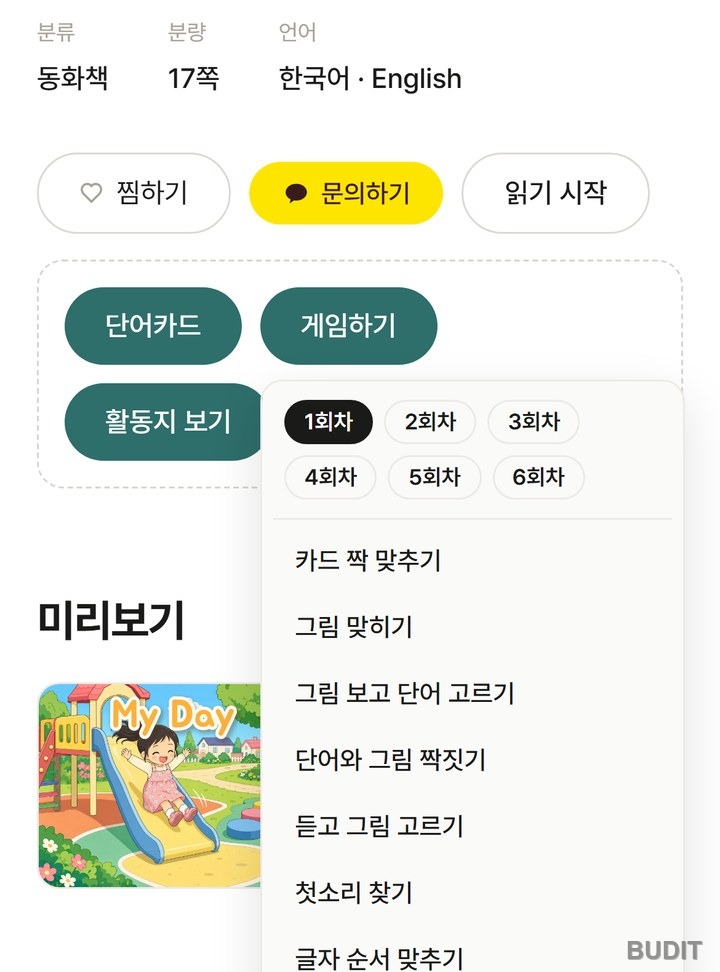
Photo: the 『Play games』 menu on the book page. Pick a session, then a game. Logging in saves the child's game records. Open the book page
Good to know
- If a page opens without sound, tap 『▶ Tap to start』 in the middle of the picture once. It appears when the browser has blocked sound from starting on its own.
- The same object appears on several pages. The bed is in the morning scene and the bedtime scene, so a child meets the same word several times in one book.
- No login is needed to read. Logging in saves game records and lets you choose a recorded 『My Voice』 under the reading audio. How to record is in A Book Read in Mom's or Dad's Voice.
- To make the same kind of cards from a photo of your own home, see Turn a Photo of Your Home into English Word Cards.
Using it at home
In one experiment, kindergarteners who read a digital picture book in which tapping an object explained or asked about the word's meaning learned more new words than children who read a digital book with pictures and sound only (Smeets and Bus, 2012). A meta analysis, on the other hand, found that tappable features and games unrelated to the story got in the way of attention (Takacs et al., 2015). That is why NoryBook's cards are the objects in the picture themselves, and why it pays to tap sparingly, as below.
- Tap one or two things per page. The best thing to tap is whatever the child pointed at first. A word sticks best when it names what the child is already looking at.
- When a card appears, say the word together. Close the card and ask 『Where is the bed?』 so the child finds it in the picture again.
- Find the same object on another page. When the child spots the bed from the morning scene in the bedtime scene before you do, that word is theirs.
- After the last page, pick just one game under 『Play games』 and play for five minutes. Session 1 is a fine place to start.
- On a day you read in English, choose English and L1 short sentences on the start panel. Why a parent does not need good English for this is in Does a Parent Need Good English.
How to ask and expand while pointing at pictures is in Learning Words by Pointing at Pictures.
Read My Day · See all NoryBook materials
If a kindergarten or daycare would like to use it in class, contact Budit.
References
- Smeets, D. J. H. and Bus, A. G. (2012). Interactive electronic storybooks for kindergartners to promote vocabulary growth. View on Google Scholar
- Takacs, Z. K., Swart, E. K. and Bus, A. G. (2015). Benefits and pitfalls of multimedia and interactive features in technology-enhanced storybooks: A meta-analysis. View on Google Scholar
Screens and features are as of Oct 15, 2026 and may change.