
Turn a Photo of Your Home into English Word Cards
What are the bed, the chair and the window your child sees every day called in English? 『Custom Cards』 in NoryBook takes a single photo, finds the objects in it and turns each one into an English word card.
What Custom Cards does
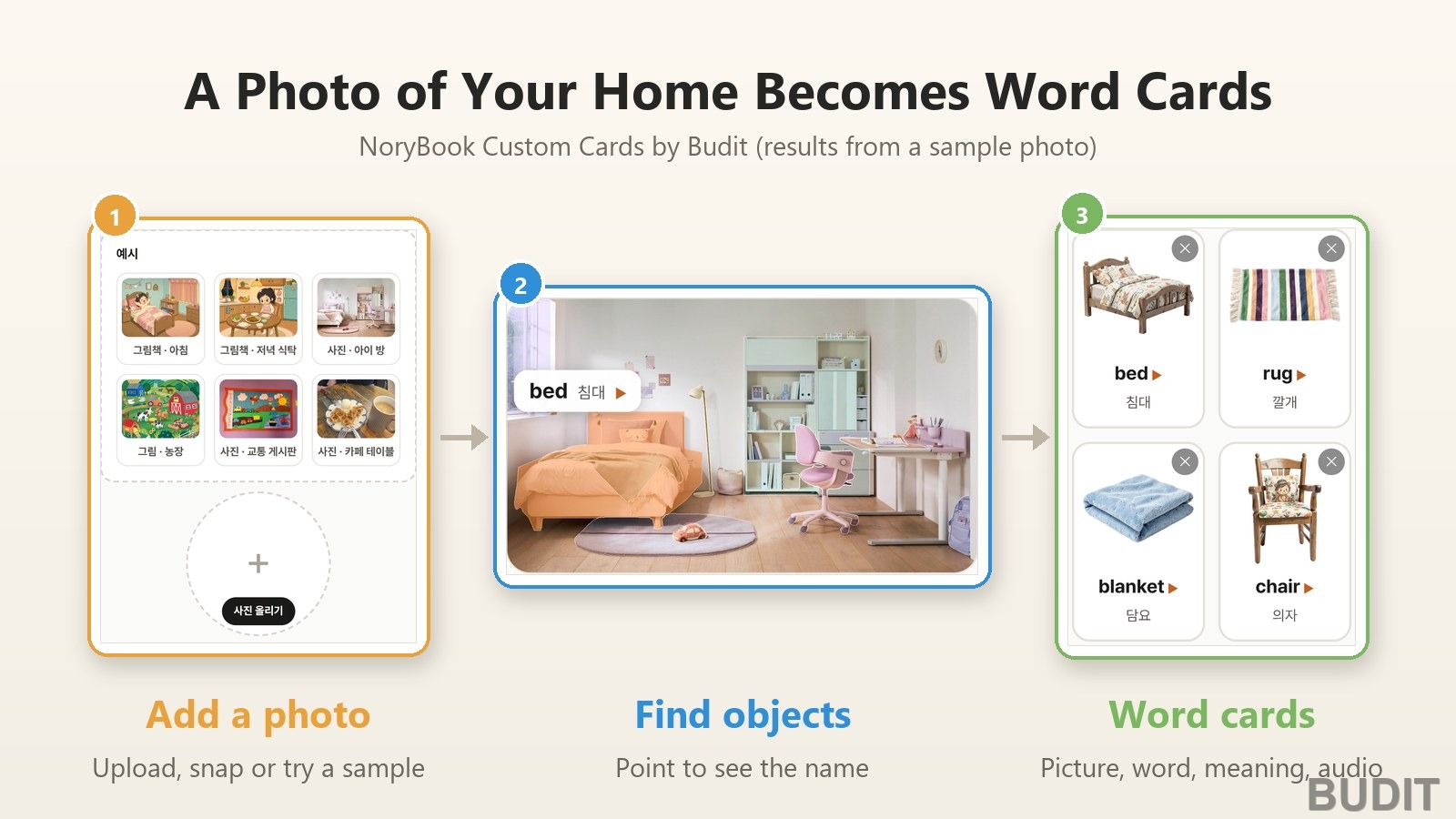
Upload a photo of a room to Custom Cards and it marks where each object is, then matches every object it finds with a word card from 『NoryCard』, our English word card service. Each card has a picture, the English word, its Korean meaning and audio. There is no login, and you can open it from 『Custom Cards』 in the NoryBook menu. The page itself is in Korean for now, so we give the Korean labels below with translations.
How to use it
- 『Add a photo』: tap the circle in the middle (사진 올리기, add a photo) to choose a photo, or use the camera button under it to take one. Photos can be up to 12 MB.
- 『Find objects』: tap 『물건 찾기』 (find objects) and wait a moment. The objects in the photo are shaded in a light color. When a lot of people are using it, you wait your turn.
- 『Point to them』: hover over an object with your mouse or tap it with your finger. It lights up, and its English name and Korean meaning appear.
- 『Listen with the cards』: tap a card below the photo to hear the word. When there is more than one of something, the card shows a count such as 『3개』 (3 of them), and you can remove anything it got wrong with the ✕ button on the card.
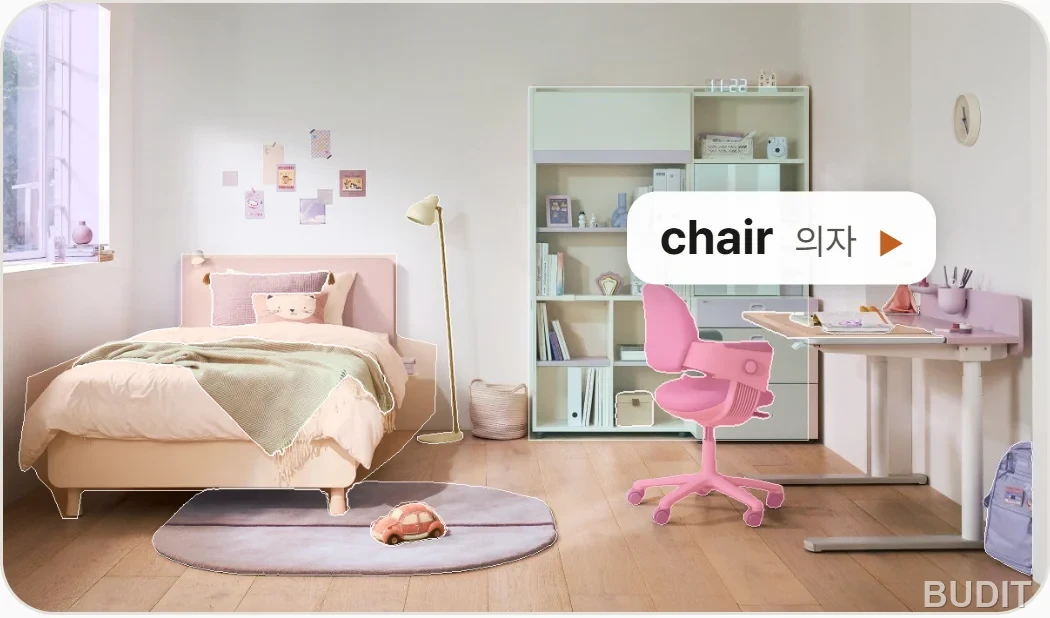
Photo: the 『사진 · 아이 방』 (photo, child's room) sample in NoryBook Custom Cards (as of Sep 17, 2026). Point to the chair and it lights up with a 『chair 의자』 label.
No photo handy? Start with a sample
The 『예시』 (samples) box at the top of the page holds six results we made in advance: a morning scene and a dinner table scene from a picture book, a farm illustration, and photos of a child's room, a transportation bulletin board and a cafe table. Tap one and the result appears right away, with no waiting. When you are done, tap 『커스텀 카드』 (Custom Cards) at the top or 『내 사진으로 해보기』 (try it with my photo) at the bottom to go back to the start.
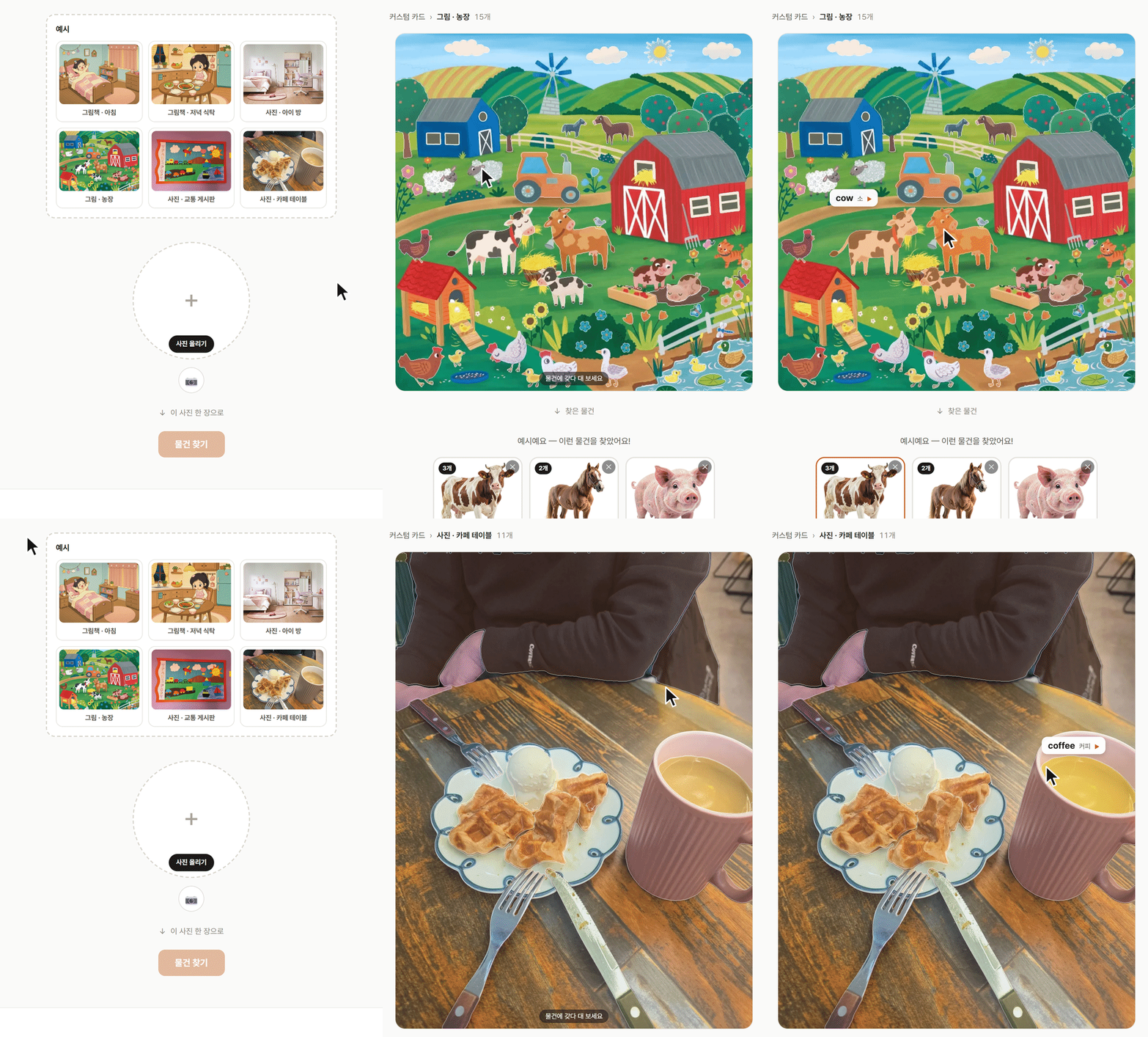
Video: pointing to the cow in the farm illustration sample and the coffee in the cafe table photo sample (as of Sep 17, 2026). All three cows in the picture light up together.
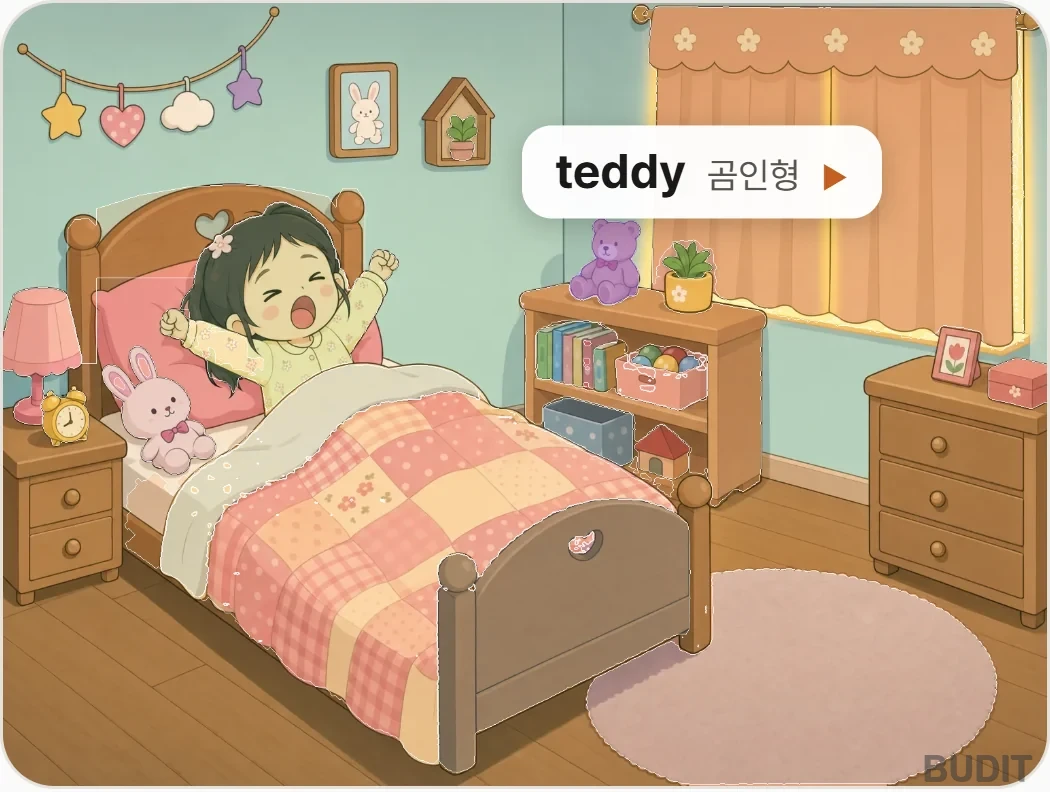
Photo: the morning sample, a scene from the NoryBook picture book 『My Day』. Custom Cards found 14 kinds of objects in it; here the teddy bear is selected.
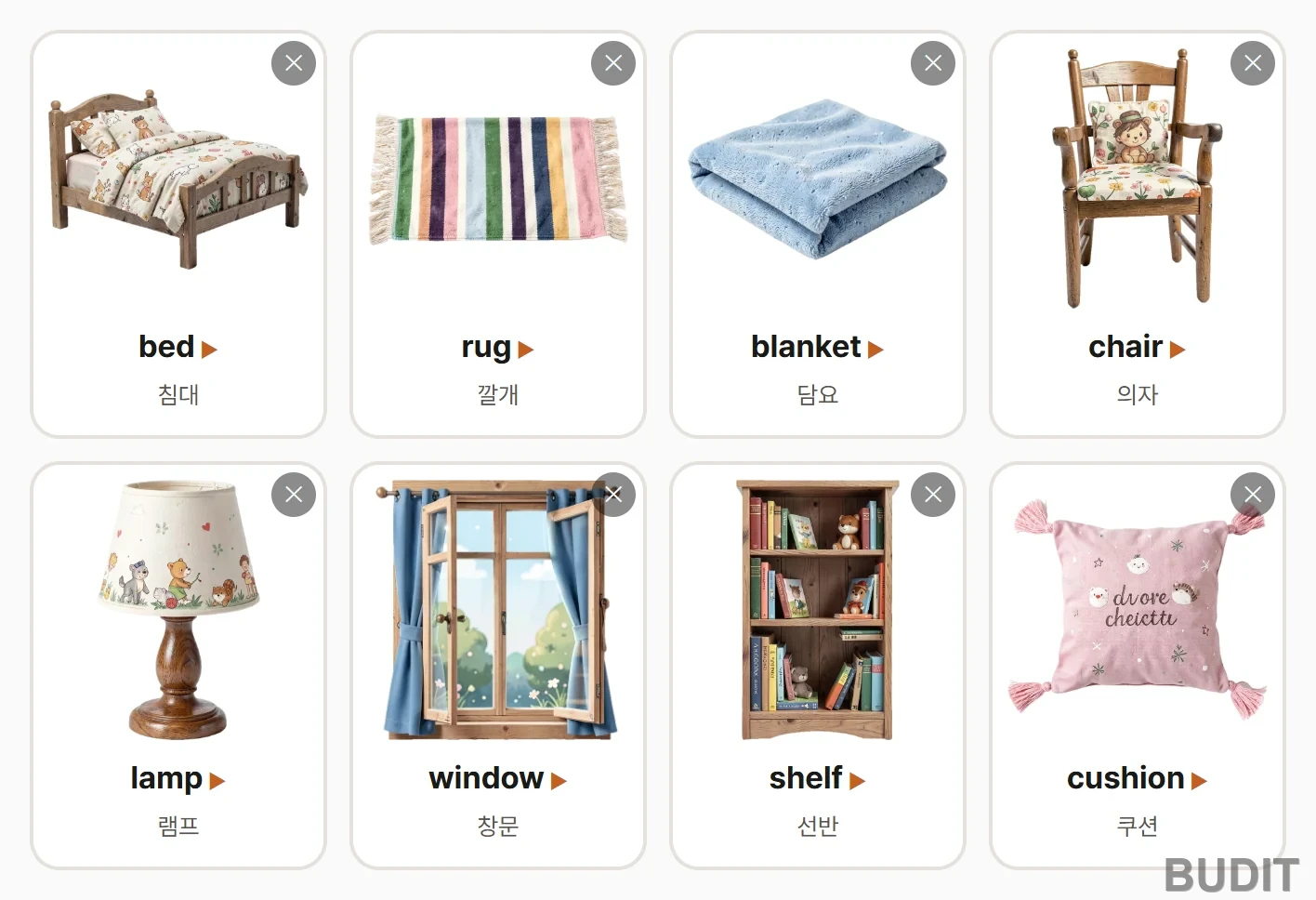
Photo: word cards for 8 of the 13 kinds of objects found in the child's room sample. Each card has a picture, the English word and its Korean meaning, and plays the word when tapped.
Tips for taking the photo
- Take the photo somewhere bright, with the objects clearly visible, and it will find more. If it finds only one object, the page suggests moving closer and trying somewhere brighter.
- If it isn't sure about what it found, you will see 『확실하지 않아요. 다시 찍어 볼까요?』 (not sure, want to try another photo?). Try again from a different angle.
- It only shows words that have a picture card. An object that is in your photo but doesn't have a picture yet won't appear.
- We don't store the photos you upload, and your results disappear after a short while.
Ways to play at home
A classic study found that young children learn new words better when an adult names the thing they are already looking at than when the adult first draws their attention somewhere else (Tomasello and Farrar, 1986). A photo of your own home is full of things your child sees every day, so start by naming whatever your child points to first.
- 『Point and say』: when your child points to something in the photo, tap it, listen to the English name together and say it back.
- 『Find the real one』: show one card and ask, 『Where's the chair?』 Then look for the real chair in the room.
- 『That's not it』: if something was found by mistake, say 『That's not it!』 together and remove it with the ✕ button.
- 『Another room』: take photos of the kitchen or the living room and meet new words.
The word cards come from 『NoryCard』, Budit's English word card service. You can read more in our NoryCard introduction.
For organizations and businesses
If you would like to bring this feature to your own product or event, use the 『제휴 문의』 (partnership inquiry) button at the bottom of the Custom Cards page, or get in touch with Budit.
References
- Tomasello, M. and Farrar, M. J. (1986). Joint attention and early language. View the paper
Screens and features are described as of Sep 17, 2026, and may change as we improve the service.